
Studio 64 lets you build Super Mario 64 ROM hacks in a browser
Developer mochi64 has released Studio 64, a free browser-based editor that lets you build Super Mario 64 ROM hacks by hand or with AI text prompts.
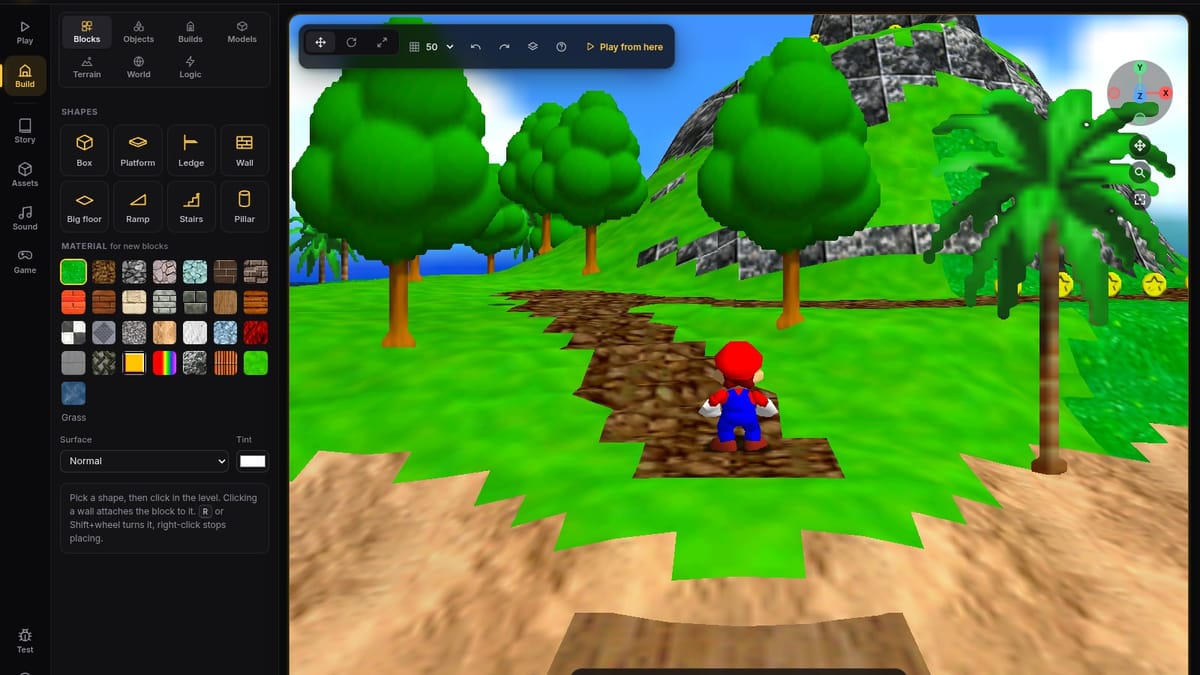
Developer mochi64 has released Studio 64, a free, open-source level editor that runs Super Mario 64 directly inside a web browser and lets users build custom ROM hacks in real time. Available now in version 0.1.0-beta under the MIT license, the tool bypasses the traditional cycle of compiling code and patching files externally, allowing creators to place a platform and jump on it immediately.
Historically, modding Nintendo's 1996 flagship 3D platformer meant wrestling with external hex editors, level importers, and standalone emulators just to test whether a single jump was possible. That changed in 2019 when the community completed the Super Mario 64 decompilation project (n64decomp/sm64), reverse-engineering the original assembly code into readable C and paving the way for the sm64ex PC port. Studio 64 compiles that engine into WebAssembly via Emscripten, putting the actual game and a full suite of editing tools inside a single browser tab.
Shotgun Mario and an optional AI co-pilot
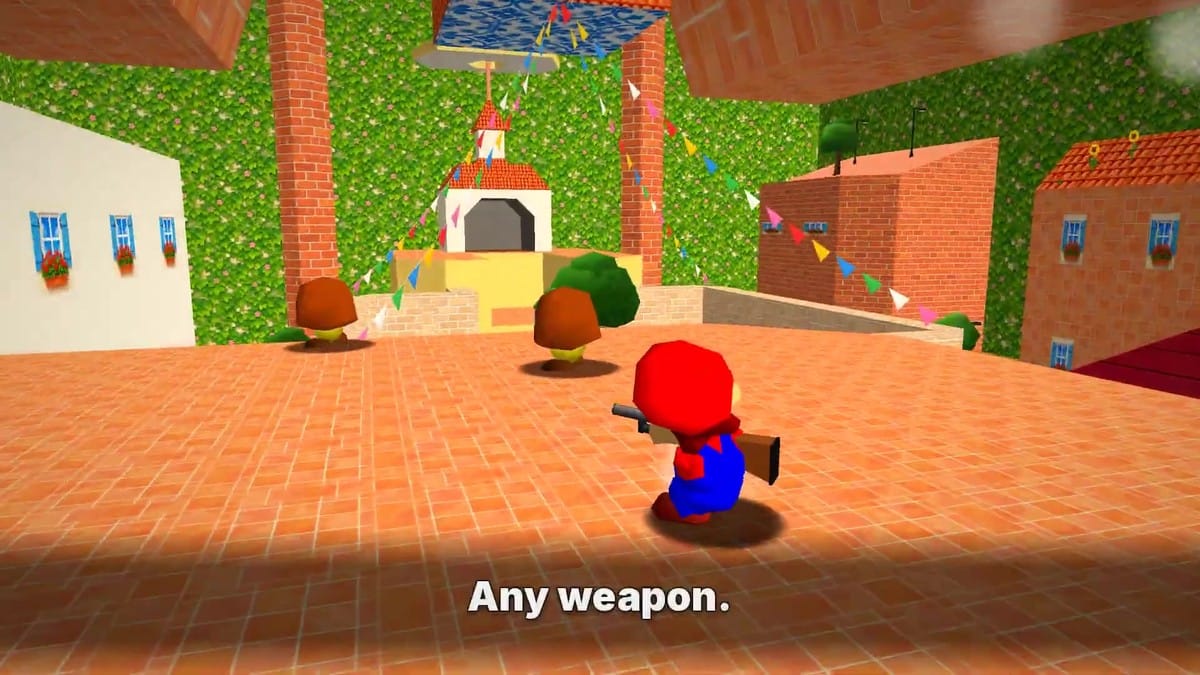
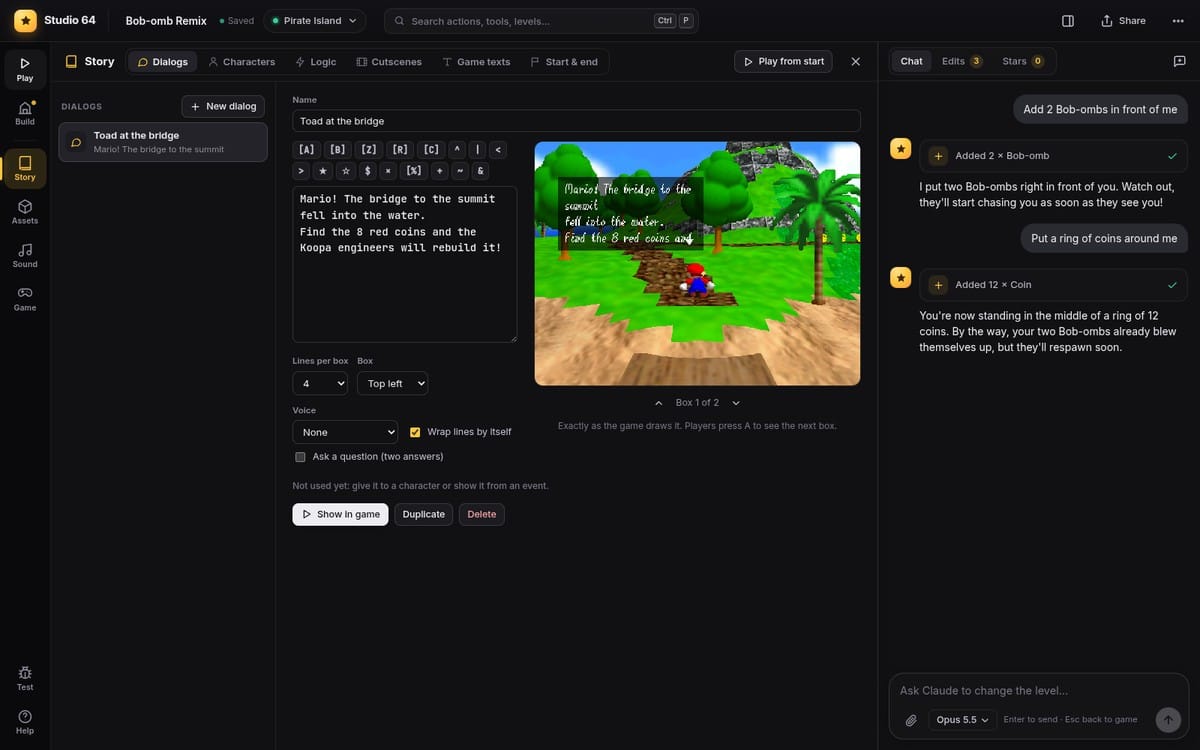
The manual editor packs in 29 block materials, roughly 600 of the original game's objects, terrain sculpting, heightmap support, and brush tools for painting roads, fences, and trees. You can also write custom dialog in the original font, build enemies out of behavior blocks, adjust physics rules like gravity and jump height, and compose music in a piano roll using the N64 soundfont. For anyone who finds standard platforming a little too peaceful, mochi64 bundled in content from their other ROM hack, Shoggoth World: drivable cars with race logic, a night-time Tokyo level template, Katana Mario, and Shotgun Mario. (Giving Mario a twelve-gauge is one way to settle things with Bowser.) If you supply your own copy of 2002's Super Mario Sunshine, the editor can even pull in Piantas, Nokis, and other GameCube assets.
Alongside the traditional mouse-and-keyboard workflow, Studio 64 includes an optional natural-language assistant that hooks into Claude, OpenAI, Gemini, OpenRouter, or local offline models. Typing a prompt like "put a ring of coins around me" triggers the assistant to manipulate the same live tools a human user would, and every AI action stays in the standard undo history. If you don't connect an API provider, the chat window and all AI buttons stay completely hidden. I'm skeptical of shoving chatbots into every piece of software, so hiding the UI entirely when disconnected is the right call.
Tested on Linux, winging it on Windows
Because the repository strips out all copyrighted Nintendo code and assets to stay on the safe side of intellectual property law, users have to provide their own legally obtained US copy of Super Mario 64 in .z64, .n64, or .v64 format. The initial local setup downloads about 1 GB of dependencies and takes five to ten minutes to extract assets and build the browser engine on your machine, after which it runs completely offline. Finished projects can be saved as .s64hack files, exported as playable N64 ROMs, or packaged into .bps patches for public distribution.
This 0.1.0-beta release comes with a funny caveat regarding platform support. While launchers are included for Windows 10/11, macOS 13+, and Linux (alongside Node.js and Docker setups), mochi64 notes that the build process was only tested automatically across five Linux distributions: Ubuntu 22.04, Ubuntu 24.04, Debian 12, Fedora, and Arch. The Windows and Mac scripts have been written and reviewed, but haven't actually been run on real hardware yet. I'm curious to see how smoothly that 1 GB initial build goes on a standard Windows machine once early adopters start filing bug reports on the project's GitHub issues page.

Comments ()