
Ample 0.288 makes Apple II emulation in MAME a lot less painful
The specialized front-end takes the headache out of configuring MAME for classic Apple and Macintosh computers.
Developer ksherlock has released version 0.288 of Ample, a specialized front-end designed to tame MAME's notoriously complex Apple II and Macintosh emulation.
MAME is a miraculous piece of software for arcade preservation. It is also one of the most accurate home computer emulators in existence, thanks to its merger with the MESS (Multi Emulator Super System) project over a decade ago. The problem is that MAME still uses an interface built for arcade cabinets. Booting up a simple Apple IIe game often involves wrestling with command-line arguments, slot configurations, and obscure BIOS files. Ample bypasses this friction by providing a clean graphical interface tailored for Apple hardware. The project is available through the Ample repository.
A custom build for 8-bit computers
The software requires macOS 10.14 or later and ships with its own custom build of MAME. This build strips away the arcade drivers to focus heavily on Apple II and Macintosh systems. It also retains support for a few other 8-bit and 16-bit home computers, including the BBC Micro and Tandy lines. These additions make sense, as those systems share a similar vintage and often require the same kind of tedious keyboard mapping and peripheral configuration that makes bare MAME so frustrating to use.
Windows and Linux users have options, too. Developer anomixer maintains AmpleWin and AmpleLinux forks, bringing the same streamlined interface to other operating systems.
Not exactly plug and play
Emulating early Macintosh hardware is still a delicate process. Ample includes a few workarounds to make this easier, but users still need to understand how vintage Mac file systems operate.
Standard Mac hard drive images selected in the front-end must have a full partition table with Mac drivers installed. This is a strict requirement of the emulated hardware. However, the custom MAME build includes a NuBus Disk Image Pseudo-Card. This virtual card allows users to mount standard HFS images directly, bypassing the need for a partition table entirely. It is a massive time saver for anyone trying to boot up older Mac software without building a drive image from scratch using external tools.
Getting online with Uthernet
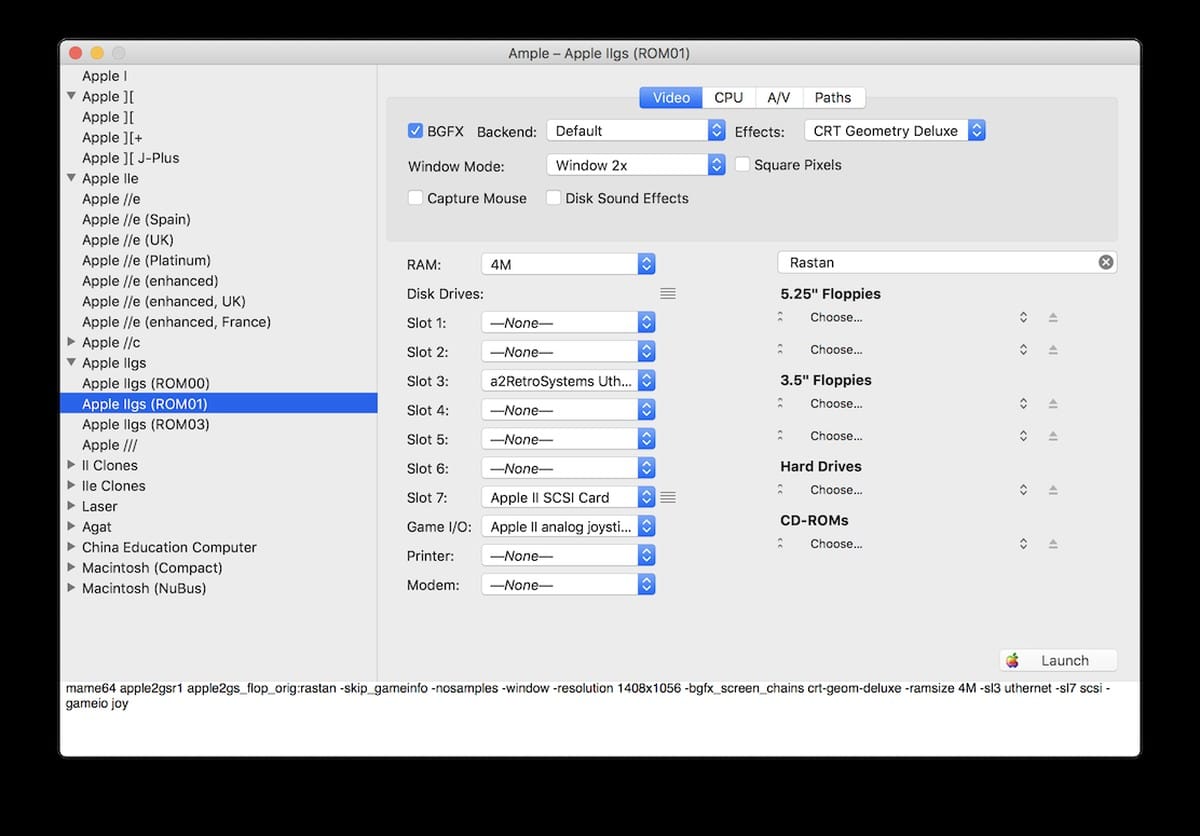
The Apple II side of the emulator includes UI tweaks and menu items customized for the platform. The standout feature is support for the Uthernet II. This is a modern ethernet card designed for the Apple II, and Ample emulates it at the hardware level.
Connecting an emulated Apple II to the internet opens up a surprising amount of modern functionality. Enthusiasts use the Uthernet II to connect to active telnet BBSes, play multiplayer text games, or run the Contiki operating system to browse the web. Having this support baked directly into a user-friendly front-end makes it much easier to explore the active Apple II online community.
The 0.288 update keeps the front-end synced with recent MAME core developments. It is a necessary tool for anyone who wants MAME's accuracy without dealing with its command-line hostility.
Comments ()