
Xenia Edge adds cross-platform system link and real Xbox 360 lobbies
The experimental Xbox 360 emulator fork now supports default local LAN play and XLink Kai connections to original console hardware.
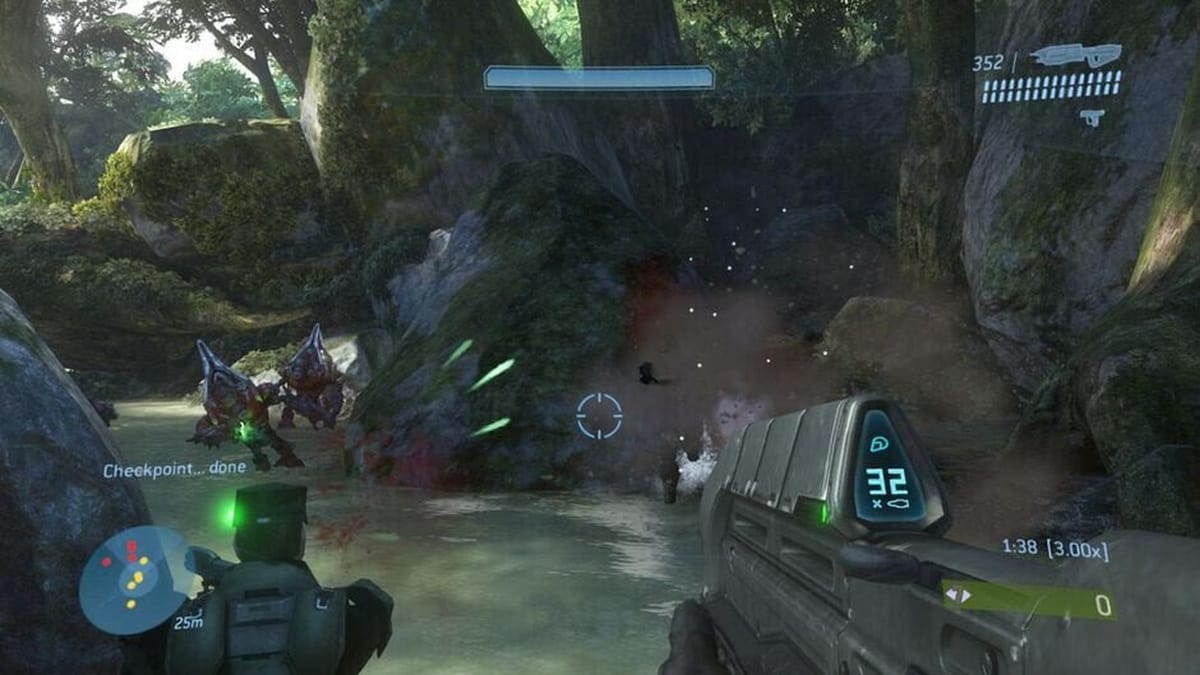
Developer has207 has updated Xenia Edge, an experimental fork of the Xenia Xbox 360 emulator, with built-in cross-platform system link multiplayer across Windows, Linux, and macOS. The feature is enabled by default for local networks and includes XLink Kai integration, letting emulated instances join lobbies with stock Xbox 360 hardware.
First launched around late 2025 as an offshoot of the fast-moving Xenia Canary branch, Xenia Edge prioritizes rapid iteration, higher out-of-the-box game compatibility, and multi-platform support. Ben Vanik started the original Xenia project in 2013, and for most of its life, Xbox 360 emulation remained heavily tied to Windows and DirectX 12. While the main Master and Canary branches handled core research, has207 built Edge to push Vulkan rendering, UI improvements, and native builds outside the Windows ecosystem.
Connecting to real consoles through XLink Kai

Microsoft shut down the Xbox 360 Marketplace on July 29, 2024, leaving peer-to-peer LAN play as the primary lifeline for seventh-generation multiplayer preservation. More than 200 titles on the console (including Halo 3, Gears of War, and Call of Duty) support System Link. Earlier attempts at emulated multiplayer required dedicated netplay forks or virtual private networks just to get two PCs talking to each other.
Edge skips the external networking tools for local play. Instances on the same network communicate out of the box using default UDP tunneling. For remote play or cross-hardware matches with an actual Xbox 360, the emulator hooks into XLink Kai, the peer-to-peer LAN tunneling service that Team XLink has kept running since 2003. Switching the network transport setting to Kai lets an emulated game on a Linux PC drop directly into a match hosted on a physical console in someone else's living room, which is a much cleaner setup than the tangled VPN configs the community used to rely on.
Original Xbox backward compatibility and Linux builds
Beyond networking, Xenia Edge now runs original Xbox games using the same method as a real console. It relies on Microsoft's internal xefu emulator files, mirroring how backward compatibility works on modified RGH or JTAG Xbox 360 hardware, and it also supports Xbox Live Indie Games (XBLIG) through the official XNA runtime launcher. Neither feature is seamless yet. XBLIG titles have to be loaded as DLC content inside the launcher rather than showing up as individual entries on the main game list, a setup has207 openly acknowledges is awkward right now.
Platform support has also shifted since the fork began. In the project FAQ, has207 notes that the native Linux build is now competitive with Windows and recommends running it directly rather than routing the Windows version through Wine or Proton. An experimental macOS port is available too, though it relies on separate CPU and GPU backends that haven't had nearly as much testing. As for the inevitable flood of user bug reports on Apple hardware, the developer's documentation takes a refreshingly direct stance:
"Many games will have issues on macOS that run and render fine on Windows and Linux. This is working as intended for now. No need to tell me about issues you find with the macOS port. I know."
That bluntness carries over to the rest of the project's management. The developer refuses all financial donations, test hardware, and game copies, funding everything out of pocket to keep Xenia Edge strictly a hobby. I'm curious how well the timing holds up when a Linux PC, a Windows machine, and a 2005 Xbox 360 all try to share a Halo 3 lobby over XLink Kai, though having the plumbing built directly into the emulator is already a huge step forward. ARM64 versions are off the table until the developer feels like supporting them.


Comments ()