
Microsoft released Xbox mode for Windows 11 PCs
Microsoft is rolling out a controller-optimized interface for Windows 11 that aggregates your game libraries and suspends background apps.
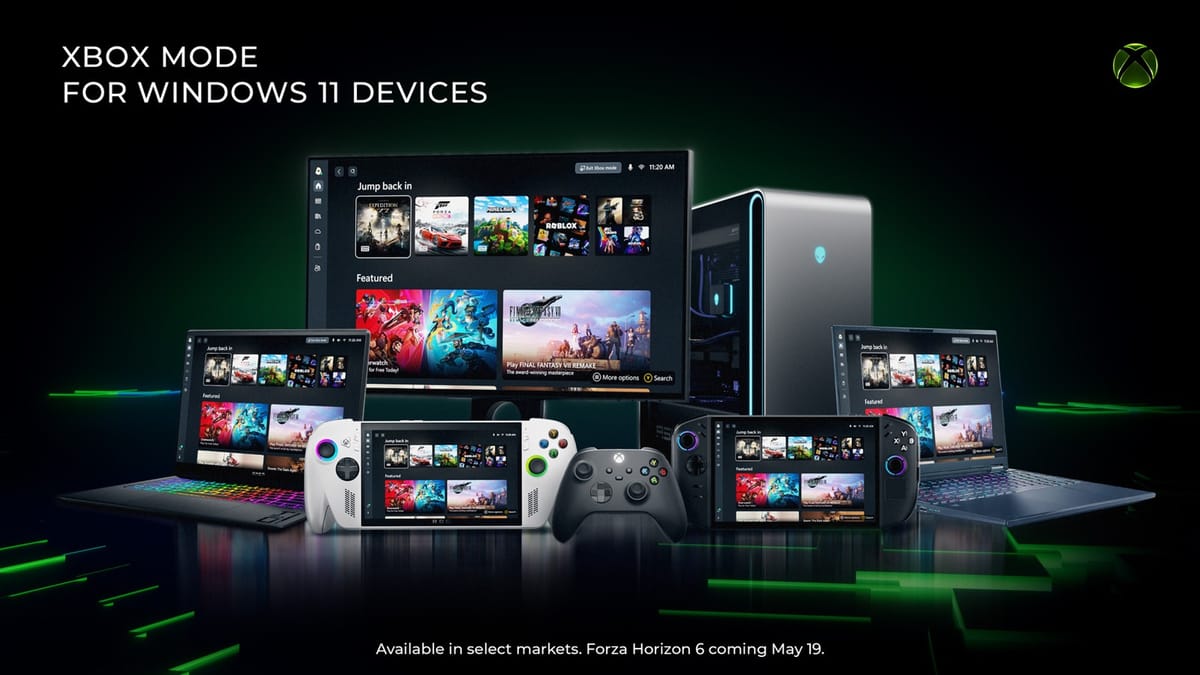
Microsoft is rolling out a new Xbox mode for Windows 11 PCs today. The update brings a controller-optimized, full-screen launcher to desktops and laptops. The feature requires Windows 11 version 24H2 and acts as a dedicated gaming environment that aggregates your installed games across different storefronts. It is currently rolling out in select markets and will expand to more users over the next few weeks.
We saw the early days of Games for Windows Live, the integration of the Xbox app, and the recent surge of Windows-based handhelds. This new mode is the most aggressive step yet. You can trigger it by pressing Win+F11. You can also use the Game Bar or swipe up from the bottom of a touch screen. Once active, it hides the standard desktop and presents a console-style interface.
Suspending background apps
The most interesting technical detail is how Windows handles resources when this mode is active. You can configure Xbox mode to start automatically when you sign in. When you do this, Windows limits background processes to improve game performance.
When I consider what this means for PC gaming, I see a fundamental shift in how we treat our hardware. PC gaming has historically been about multitasking and having a dozen apps running on a second monitor. By offering an OS-level toggle that turns a multipurpose computer into a dedicated gaming appliance, Microsoft is giving PC players a way to opt out of the usual Windows overhead.
It is a direct response to the rise of devices like the Asus ROG Ally and Lenovo Legion Go. Those handhelds originally received a beta version of this interface called the "full screen experience." Microsoft gathered feedback from portable users and refined the interface before pushing it to standard desktop computers.
I still use Steam Big Picture
Valve launched Steam Big Picture in 2012 to conquer the living room. It works well, but it has always been a layer running on top of Windows.
When I look at what this means for Steam, the answer is clear: Valve finally has native OS-level competition. Xbox mode aggregates titles from Xbox Game Pass alongside installed games from other PC storefronts. If you buy a game on Steam, it still shows up in the Xbox mode launcher.
I use Steam Big Picture almost daily for my living room PC setup. The friction usually comes from trying to launch non-Steam games or dealing with background Windows pop-ups that steal focus. Because Xbox mode is built directly into Windows 11, it has the system-level authority to suppress those distractions. Valve will likely need to improve SteamOS compatibility with third-party launchers to keep pace.
The hardware doesn't matter anymore
Microsoft has spent the last five years pushing Game Pass to every device with a screen. This update clarifies their long-term hardware vision.
As for what this means for Xbox, the strategy is obvious. I look at this update and see the final decoupling of the Xbox interface from the physical Xbox console. Microsoft is essentially turning every Windows 11 machine into an Xbox. You no longer need to buy a specific black box to get the curated, controller-first interface. The company is leaning entirely into its strength as an operating system developer. They are letting hardware partners build the actual machines while they control the software layer.
The update is free and requires no additional downloads beyond the standard Windows 11 24H2 system updates. You can turn it off entirely in the Windows gaming settings if you prefer the traditional desktop experience.



Comments ()