
The Commodore 64 just got an update to 64Fetch
Korbo has released version 2.4.1 of 64Fetch, bringing the popular neofetch aesthetic to the classic 1982 home computer.
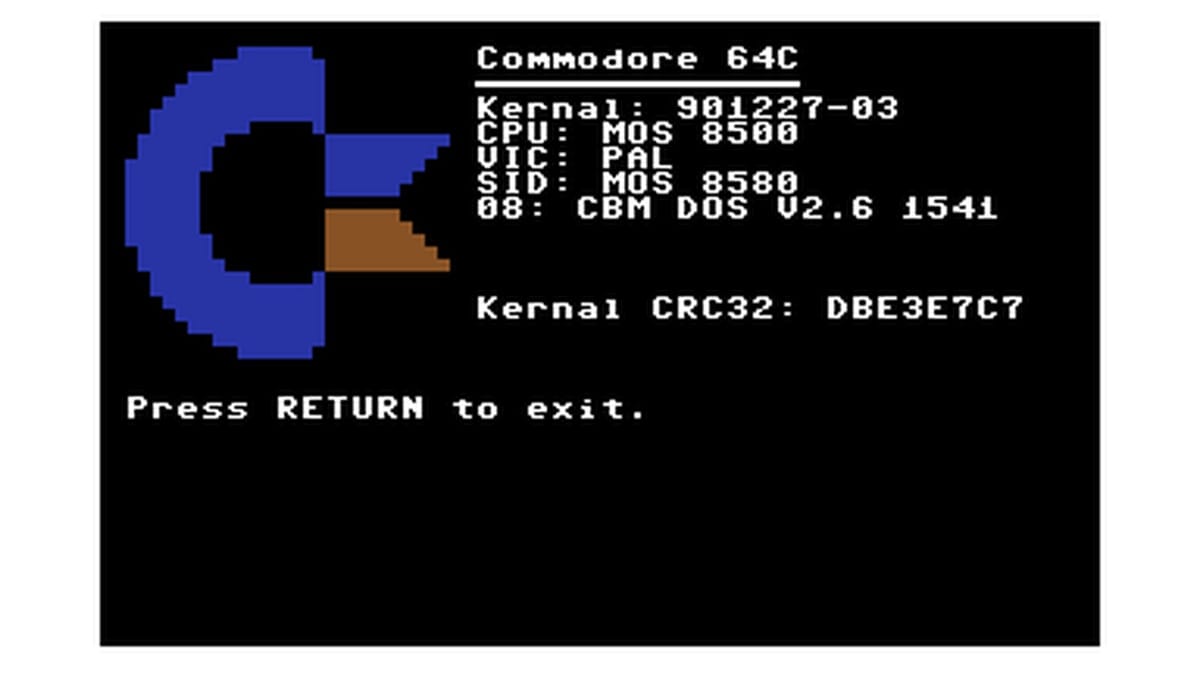
Korbo has released version 2.4.1 of 64Fetch, a system information fetcher for the Commodore 64. The update is available to download now as a standard executable file through the Commodore Scene Database. The 64Fetch project is also hosted on GitHub.
I always appreciate when modern software trends make their way backward onto vintage hardware. On Linux and modern Unix systems, tools like neofetch and fastfetch are practically mandatory for showing off your desktop. They print a colorful ASCII logo next to your system specs. 64Fetch does the exact same thing, but it runs natively on a machine from 1982 with 64 kilobytes of RAM.
Bringing neofetch to 1982
Korbo (known as korbosoft on GitHub) has been maintaining 64Fetch as an open-source project for a while now. The app is written in C and compiles down to a tiny program you can load via a real floppy drive, an SD2IEC, or an emulator like VICE. When you run it, the screen clears and draws a retro Commodore logo alongside your hardware details. It detects your basic version, kernel, and available memory.
The history of this specific app traces back to the broader trend of system fetchers that exploded in popularity over the last decade. PC users love taking screenshots of their terminal windows. Korbo took that concept and ported the aesthetic to the MOS Technology 6510 processor. Writing a fetcher for a modern PC involves reading text files from the operating system. Doing it on a Commodore 64 requires querying specific memory addresses to figure out what hardware is attached.
I find it fascinating that the Commodore 64 still gets utility software in 2026. The C64 is the best-selling single computer model of all time. Millions of units were sold between 1982 and 1994. Today, the active demoscene and homebrew community on CSDb keeps the platform alive with new games, demos, and tools. 64Fetch is a fun novelty, but it also genuinely helps if you are testing different emulators or hardware expansions. If you plug in a RAM Expansion Unit or a modern cartridge, a quick run of 64Fetch lets you verify your system configuration at a glance.
What changed in version 2.4.1
Korbo did not publish a detailed changelog for version 2.4.1. I looked at the project's history, and point releases for this tool usually focus on minor bug fixes and memory optimizations. Fetchers on 8-bit systems need to be extremely efficient. Every byte matters when you only have 38,911 basic bytes free.
The Commodore 64 shipped with different VIC-II graphics chips depending on the region, and older software sometimes struggles to identify them correctly. Version 2.4.1 likely continues refining these hardware checks to ensure accurate readouts across the dozens of different motherboard revisions Commodore produced during the 1980s.



Comments ()