
Quicktake for Apple II just added support for a dozen vintage digital cameras
Colin Leroy-Mira's open-source utility for the Apple II has a massive update, adding support for Kodak, Epson, and Canon digital cameras.
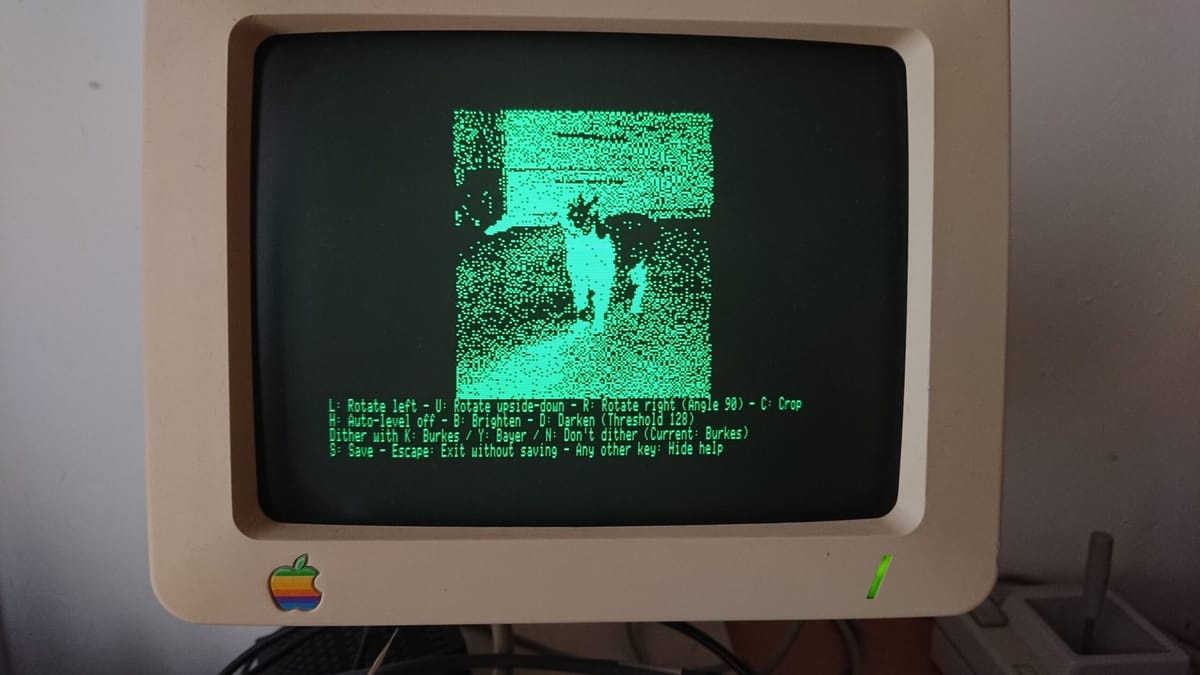
Developer Colin Leroy-Mira has updated Quicktake for Apple II, expanding the open-source utility to support 13 different vintage digital cameras. The software originally launched in 2023 to let an 8-bit Apple II interface directly with the 1994 Apple QuickTake 100. Now, it handles hardware from Fujifilm, Kodak, Epson, Sanyo, and Canon.
When Apple released the QuickTake line, the box boldly claimed you needed a 386 or 486 PC with at least 2MB of RAM. Leroy-Mira took that as a challenge. His software proves you can pull raw digital photos over a serial connection using a 1MHz MOS 6502 processor and 128kB of RAM. It is amazing that this is even mathematically possible, let alone practical enough to use on a real machine.
You can find the project documentation and the latest release on Leroy-Mira's website. The update adds compatibility for the Kodak DC-50 Zoom, the Epson PhotoPC, the Canon PowerShot 350, and several others. The Apple QuickTake 100 hit the market in 1994 as one of the first consumer digital cameras, built by Kodak for Apple. It was a neat toy for Macintosh Quadra owners, but nobody expected it to interface with a computer from 1977.
Processing in 20-pixel slices
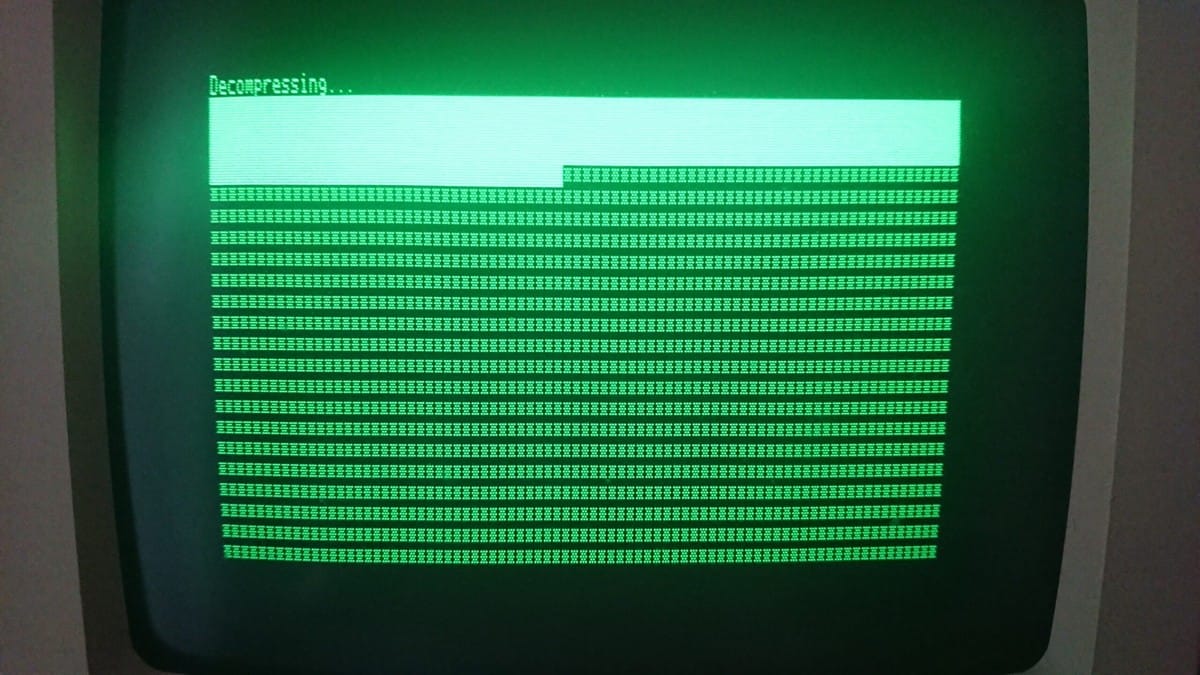
The technical hurdle here is memory. A single high-quality photo from a QuickTake 100 is about 118kB. The Apple IIc only has 64kB of main RAM and 64kB of auxiliary RAM, so you can't load the whole image into memory at once.
To make this work, Leroy-Mira had to reverse-engineer the dcraw utility. The original dcraw is a massive C program that handles hundreds of cameras. He stripped it down to just the ADPCM decompression algorithm, removing thousands of lines of code until it could actually compile for the 6502. The 6502 processor doesn't have hardware multiplication, so calculating pixel coordinates requires doing the math digit by digit.
The software solves the memory limit by loading and decompressing the image in horizontal bands of 640 by 20 pixels. It processes one slice, pushes the result to the auxiliary RAM, and moves to the next. Because the resized 8-bit greyscale result fits into a 49kB array, the software can auto-level the image and apply Sierra Lite dithering in a single pass. The final output is a 512 by 192 Double High-Resolution (DHGR) image. Depending on the camera model, the entire process takes anywhere from 35 seconds to two and a half minutes. That's fast enough that you won't even have time to make coffee while you wait.
The two-port workaround
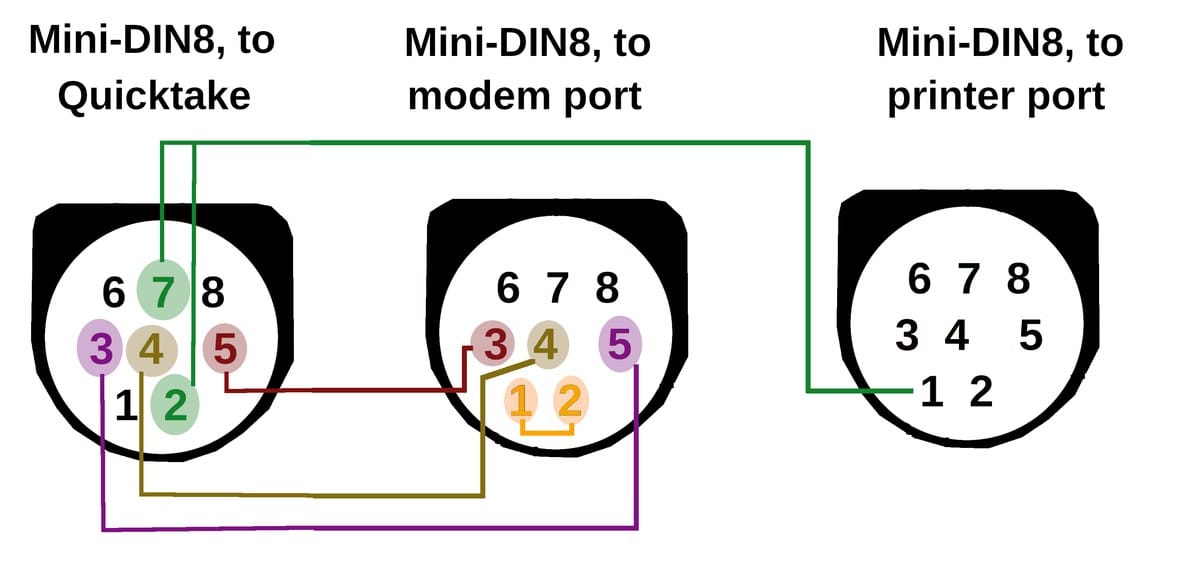
Getting the Apple II to actually talk to the camera required a ridiculous hardware workaround. The QuickTake 100 only starts communicating once the Data Terminal Ready (DTR) line is cleared. The problem is that clearing the DTR line on the Apple II's ACIA 6551 serial chip completely shuts down the chip.
The solution is a custom franken-cable. You have to wire the camera into two separate serial ports on the Apple II at the same time. The modem port handles the actual data transmission, and the printer port exists solely to control the DTR line. If you're using an Apple IIe, this means you need two Super Serial Cards installed just to transfer a photo. The answer to a hard physical limitation is brute-forcing a second port.
It's a brilliant piece of optimization for hardware that was never supposed to do this.



Comments ()