
MiSTer Companion's v7.8.0 update adds Amiga CD32 scraping and DVD support
Developer Anime0t4ku released version 7.8.0 of the MiSTer Companion desktop app, bringing new scraper support for the Amiga CD32 and optical drive configurations.
Developer Anime0t4ku released version 7.8.0 of MiSTer Companion on August 30, updating the desktop management utility with new scraping tools and optical drive configurations. The software is available now on the project's GitHub release page.
The MiSTer FPGA project has spent years as the gold standard for cycle-accurate retro hardware emulation. It uses a Terasic DE10-Nano board to recreate classic consoles and arcade cabinets at the silicon level. The results are incredible, but the user experience can be rough. The underlying Linux-based firmware usually requires users to mess with command-line scripts, manual SD card transfers, and text configuration files to get everything running perfectly.
MiSTer Companion launched earlier in 2026 to fix that usability gap. It acts as a cross-platform graphical interface for PC, Mac, and Linux. The application handles core updates, ROM patching, and network configurations over SSH, meaning you can manage your FPGA setup from a desktop computer without touching a terminal window.
Scraping the Amiga CD32
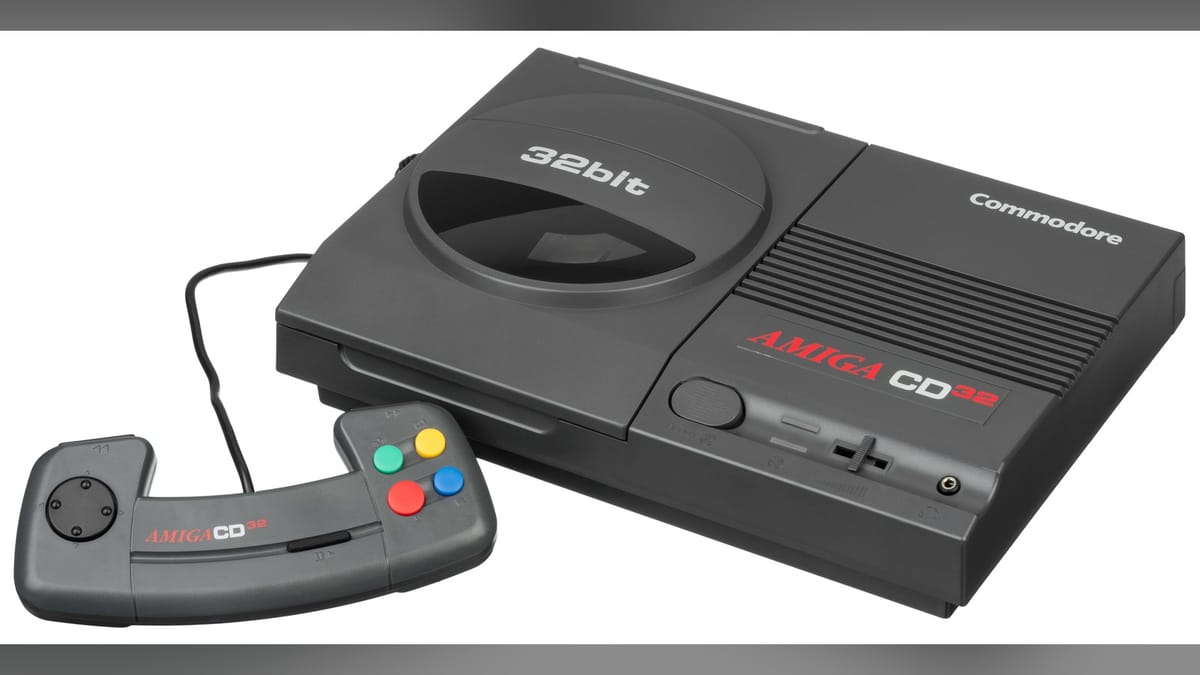
Version 7.8.0 updates the built-in ZapScraper tool to support the Amiga CD32. Commodore released the 32-bit CD-ROM console in 1993, basing it heavily on the Amiga 1200 architecture. It died shortly after the company's 1994 bankruptcy, leaving behind a small library of games like Alien Breed 3D and Super Stardust.
Scraping metadata for obscure European microcomputers is notoriously finicky. Manual curation takes hours, but the scraper pulls box art and game descriptions directly into the MiSTer interface. Alongside the scraper updates, version 7.8.0 improves the application's built-in manual viewer, making it easier to read digitized game manuals on your display.
We are playing physical discs again
The other major addition focuses on physical media. The Install Center now includes configurations for DVD and optical disc setups. This supports recent hardware integrations like the SuperStationOne and the RA DVD core.
The MiSTer ecosystem has been moving toward physical media support over the last year. Hardware creators are building custom enclosures and interface boards that allow users to hook up actual optical drives. This lets you play original PlayStation, Sega CD, or Amiga CD32 discs directly through the FPGA with negligible latency, bypassing ROM files entirely.
Setting up physical disc drives on an FPGA board is exactly the kind of technical headache MiSTer Companion was built to solve. The software automates the necessary scripts and core downloads so you don't have to SSH into the MiSTer and manually edit configuration files to make your CD drive spin up.
No more terminal windows
Anime0t4ku is a known developer in the open-source hardware community, having previously built tools like MC-Updater and mobile companion apps for the MiSTer ecosystem. The goal has consistently been to lower the barrier to entry for FPGA gaming. Before tools like this existed, setting up a MiSTer required a decent understanding of Linux file systems. Now, users can click a button in a desktop app to update their arcade cores or apply translation patches to Japanese ROMs.
The addition of optical drive support in the Install Center is a massive help for the SuperStationOne crowd. The SuperStationOne is a custom motherboard designed to house the DE10-Nano alongside original console hardware components, bridging the gap between emulation and original hardware. Getting optical drives to interface correctly with FPGA cores requires specific timing and configuration files. Version 7.8.0 packages those configurations into a simple installation process.


Comments ()