
Apple II emulator GSSquared just got custom profiles and CRT shaders
The cross-platform Apple II and IIGS emulator GSSquared has released version 0.9.0, bringing in-app hardware configuration and better GS/OS mouse tracking.
Developer jawaidbazyar2 has released version 0.9.0 of GSSquared, a cross-platform emulator that covers both the 8-bit and 16-bit eras of the Apple II family. The update dropped early this morning and focuses heavily on user customization. It adds in-app hardware profile editing alongside new CRT post-processing effects and improved mouse tracking for GS/OS.
The Apple II series essentially built the home computer market in the United States, dominating schools and home offices for over a decade. Preserving that massive software library requires emulators that accurately handle both the 8-bit MOS 6502 processor days and the 16-bit 65816 era. While MAME technically covers the entire Apple II line, setting it up can feel like operating a commercial aircraft. GSSquared takes a different approach. It is built entirely around the Apple ecosystem (from the original 1977 hardware up through the IIGS ROM 01) and packages it in a C++ and SDL3 framework that runs out of the box on Windows, Linux, and macOS.
Drag and drop hardware configs
The biggest change in version 0.9.0 is how it handles machine setups. You can now define a specific Apple II configuration in a .gs2 TOML file. This lets you specify the exact platform, which cards are sitting in which slots, and what storage or video output you want. Instead of tweaking global emulator settings every time you want to switch from a basic Apple ][ Plus to a fully loaded IIGS, you just load the specific profile from the system select menu.
The developer also built a configuration editor directly into the app. You can swap out slot cards and pre-mount disk images without having to close the emulator or manually edit text files. On macOS, these .gs2 files even register as native documents in Finder, so you can just double-click a config to boot that exact machine state. It also supports A2Fusion Settings.txt files if you are migrating from that environment.
The mouse finally goes where you point it
GS/OS (the graphical operating system for the Apple IIGS) has much more reliable mouse tracking now. Previous versions could get confused about where the pointer was supposed to be, especially if you had letterboxing enabled or a modal dialog popped up. The sync is now accurate even when the new CRT bezels are active.
Speaking of CRT effects, macOS users get a new GPU-based post-processing shader to simulate a vintage monitor. It is currently exclusive to the Mac build, but it gives the 16-bit graphics a much more authentic look. You can enable it right from the command line at boot. If your machine cannot handle the GPU renderer, it just falls back to a clean output rather than crashing.
Taito's barbarian is back in action
Under the hood, the emulator is getting more accurate. Version 0.9.0 introduces initial emulation for the SecondSight VGA card. This was a popular aftermarket upgrade for the IIGS that allowed it to output to standard PC monitors, and emulating it opens the door for more accurate late-era IIGS software testing. The update also improves high-DPI display handling across the board.
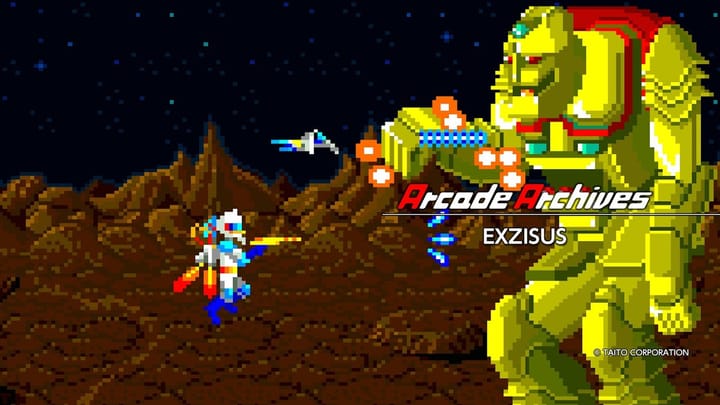
Game compatibility is creeping up as well. The developer noted improvements to the Ensoniq sound chip emulation and device reset routines. Because of these low-level audio fixes, the Apple IIGS port of Rastan (Taito's 1987 arcade hack-and-slash) is now fully playable. It is a good reminder of how much heavy lifting the IIGS hardware was capable of when developers actually took advantage of it.
The version 0.9.0 binaries are available for Windows 10 and up, Intel and Apple Silicon Macs, and as a Linux AppImage.

Comments ()