
AYANEO's AYASpace 2 Pocket Museum launcher rolls out on Android
AYANEO's new Android retro launcher organizes ROMs into 3D museum wings with rotatable cartridges, built-in emulation, and local Wi-Fi save syncing.
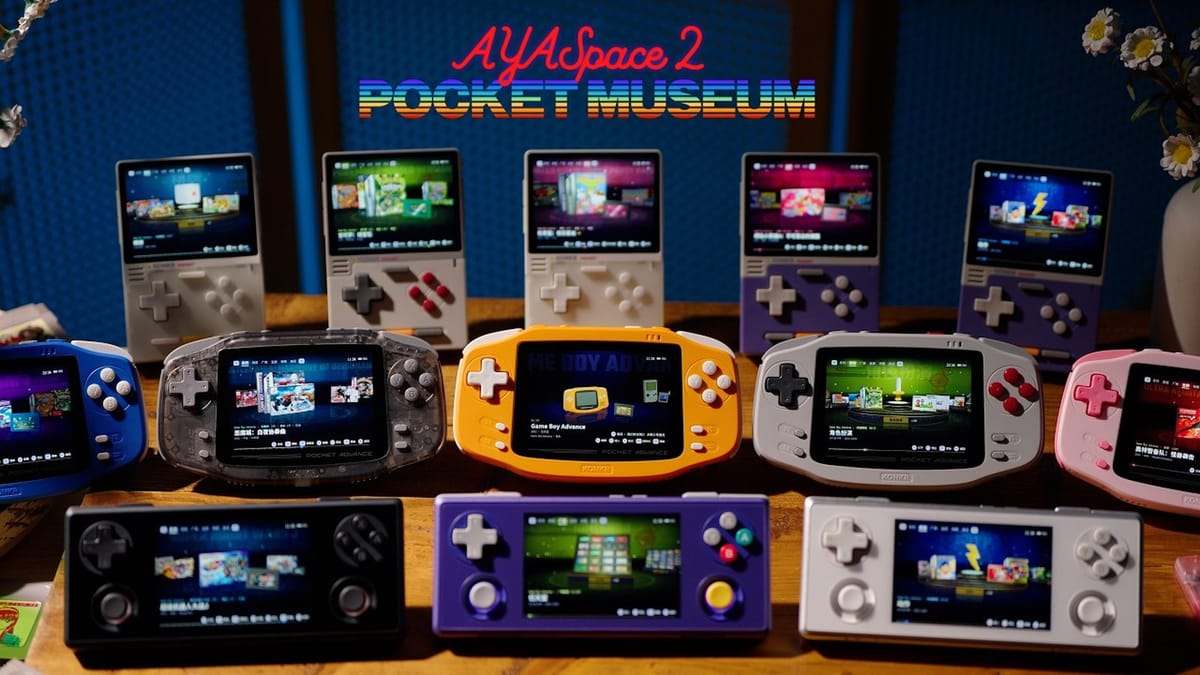
AYANEO's new AYASpace 2 "Pocket Museum" frontend is rolling out for the company's compact Android handhelds, replacing its older launcher with an all-in-one interface built around 3D cartridge models and integrated emulation. First announced by CEO Arthur Zhang during a livestream on October 30, 2026, the software is available to download through AYANEO's website with dedicated build packages for the KONKR Pocket Advance, KONKR Pocket Block, and AYANEO Pocket Micro 2.
While the original AYASpace launched as a somewhat clunky hardware management overlay for Windows handhelds before making the jump to Android, this second iteration goes in a completely different direction. Instead of leaving users to configure standalone emulators and scrape box art on their own, Pocket Museum acts as a self-contained retro frontend. It doesn't include any ROMs out of the box, for obvious legal reasons, so you'll still need to bring your own game files and import a separate media pack to populate the 3D assets.
Virtual shelves and rotatable plastic
The software leans hard into skeuomorphic design, starting with boot animations that mimic classic handheld startup screens. Once inside, the launcher organizes your ROM library into virtual "Halls" and pavilions sorted by franchise, genre, release era, and publisher.
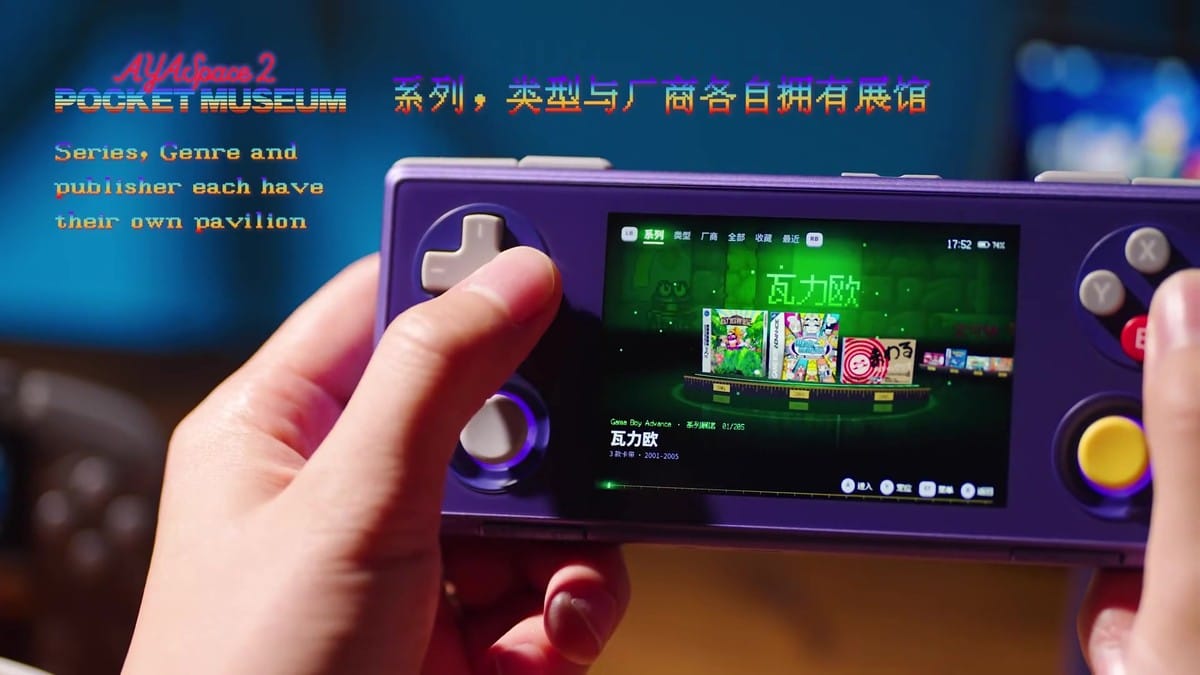
AYANEO claims the app recognizes game data automatically by reading the underlying file structure rather than relying on exact file names. That's a welcome change if it actually works reliably across messy ROM folders. It also groups multi-language ROM versions under a single game entry, keeping regional duplicates from cluttering up the menu.
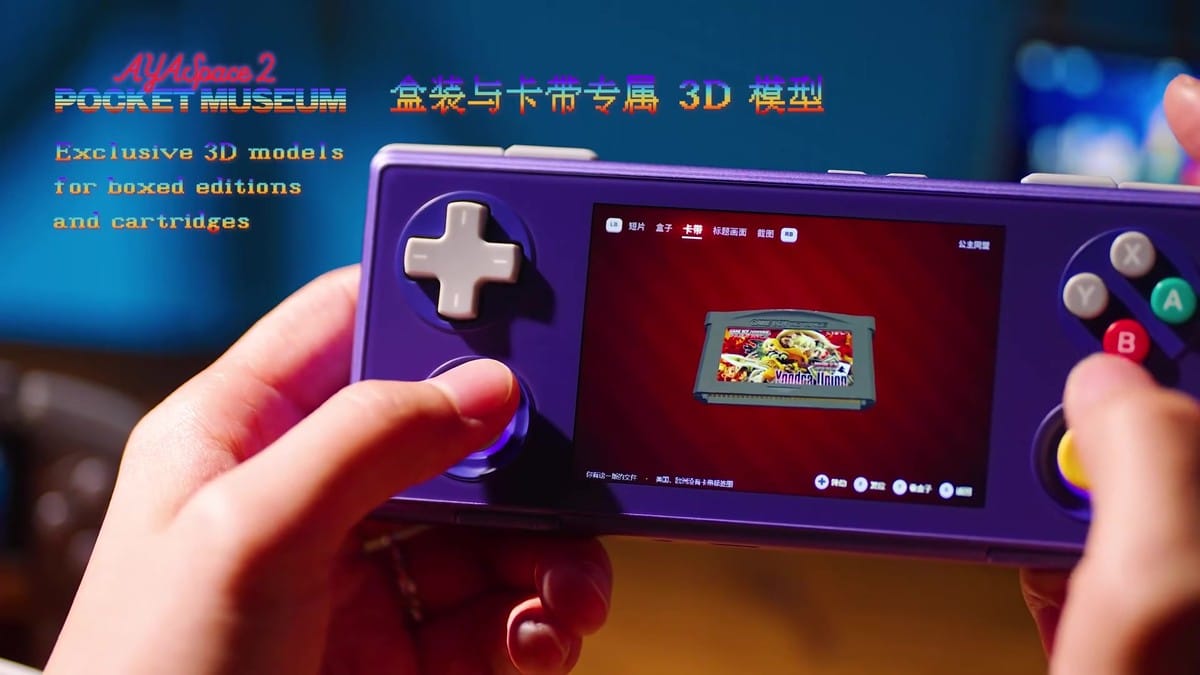
Once a media pack is loaded, each entry gets a 3D box and cartridge model that you can rotate and inspect on screen. Spinning a virtual Game Boy Advance cart around on a 3.5-inch display is completely unnecessary, of course, though it's a fun touch for a pocket device. I'm curious how well that automatic file recognition holds up when you throw patched ROM hacks or obscure fan translations at it.
Built-in emulation and local syncing
Pocket Museum isn't just a pretty skin sitting on top of RetroArch. The app has its own built-in emulator, meaning there's no separate core setup required before launching a game. It includes standard modern conveniences like save states, fast-forward, and a video-style timeline rewind for scrubbing back through mistakes.
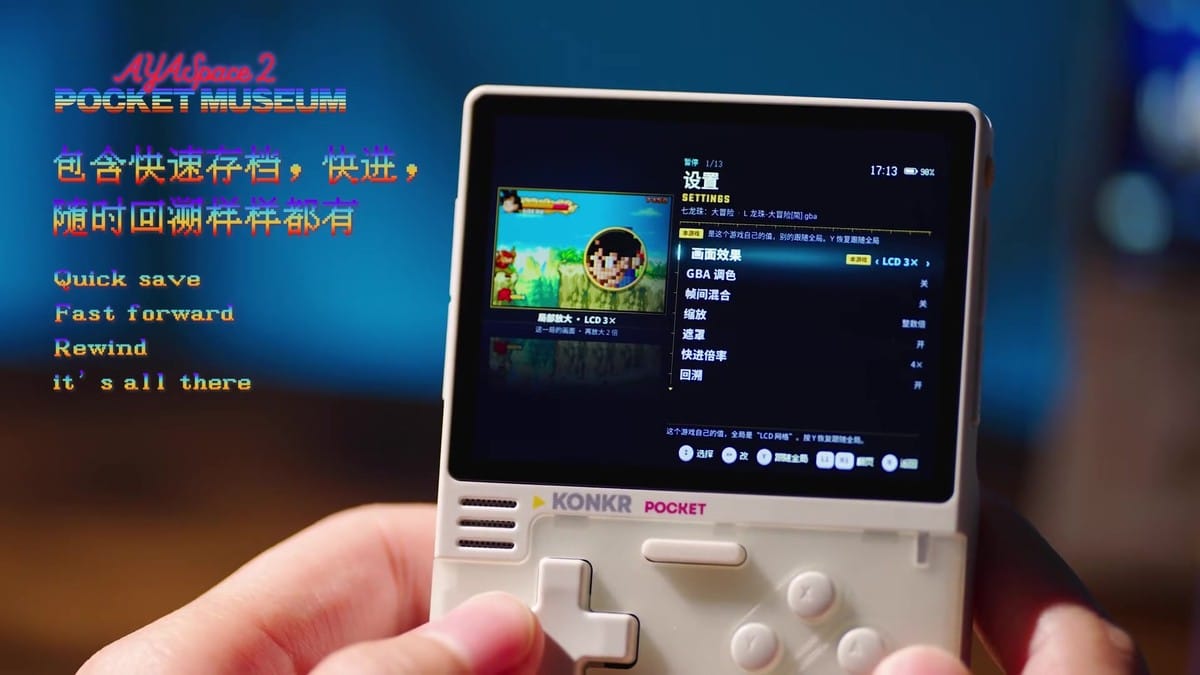
Pressing into the in-game overlay brings up per-game configuration options. Players can tweak button mapping, turbo toggles, cheat codes, color profiles, and display shaders like CRT scanlines or an LCD 3x grid without altering their global settings. Two handhelds running AYASpace 2 on the same local Wi-Fi network can also sync save states and play records directly with each other.
Locked to three smaller handhelds for now
For the initial rollout, AYANEO is restricting Pocket Museum to three of its smaller, retro-focused Android machines: the horizontal KONKR Pocket Advance, the vertical KONKR Pocket Block, and the AYANEO Pocket Micro 2. The APK installers for the Pocket Block and Pocket Micro 2 each weigh in at 218,325,893 bytes (about 218 MB).
Considering the Pocket Block runs on a modest MediaTek Helio G85 chip and the Pocket Advance uses a Helio G90T, it makes sense that AYANEO tailored these first builds specifically for 8-bit and 16-bit handheld libraries. I'd like to see whether the company eventually opens this launcher up to its flagship Snapdragon devices, or if the built-in emulator is strictly tuned for Game Boy Advance and earlier systems.


Comments ()