
Anbernic's RG VITA Pro just got a major Linux update
The V1.0.1 update for Anbernic's RG VITA Pro adds per-system settings, new themes, and in-game menus for Dreamcast and Saturn emulation.
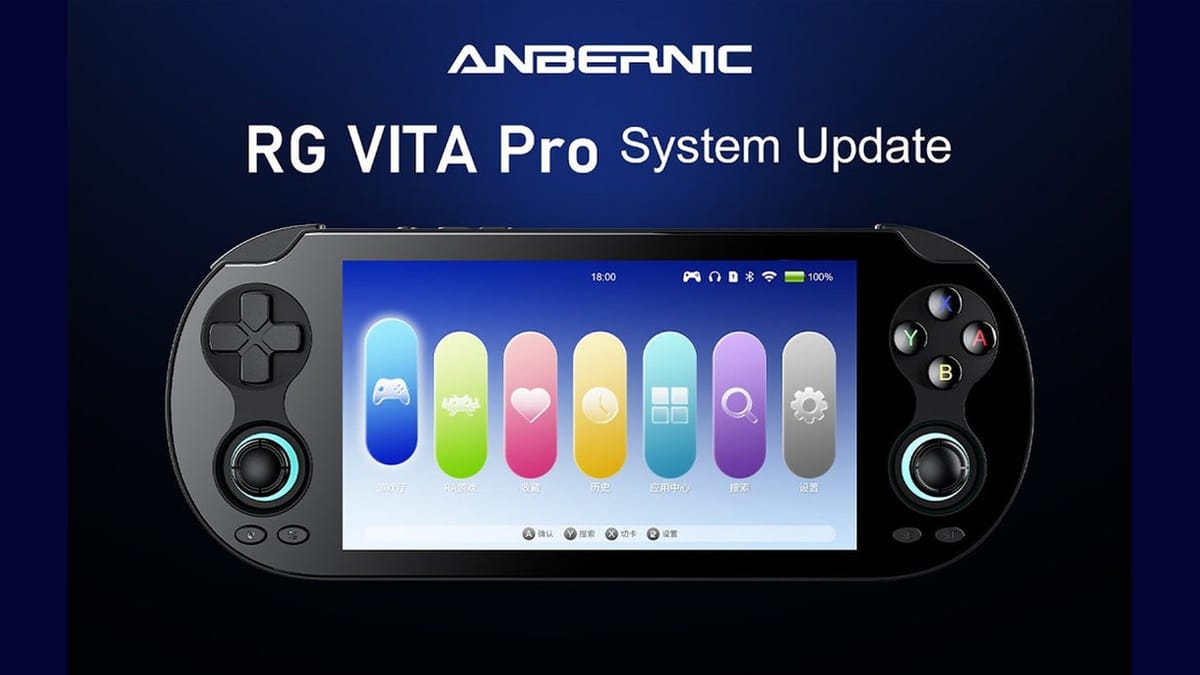
Anbernic has released the V1.0.1 Linux system update for the RG VITA Pro. The patch adds new interface themes, core switching, and expanded emulator settings to the handheld.
The RG VITA Pro is Anbernic's current hardware revision aimed at capturing the ergonomics of Sony's final handheld. It has a 5.5-inch IPS INCELL touchscreen with 1080p resolution and dual analog sticks, packing enough processing power to run heavier retro systems. Out of the box, the device handles everything from 8-bit consoles up through Sega Saturn, Dreamcast, and Nintendo 3DS. Running a dedicated Linux build rather than Android gives it a streamlined, console-like experience. The tradeoff is that users rely entirely on Anbernic for system-level feature updates, rather than just downloading a new emulator version from a digital storefront.
In-game menus for Saturn and Dreamcast
The most practical addition in V1.0.1 is the expanded in-game menu support for the Dreamcast, Sega Saturn, and 3DS emulators. Players can now pull up a menu while playing to access save states, load states, gameplay guides, and advanced settings. Previously, exiting a game or tweaking a setting on these standalone emulators required more cumbersome workarounds.
Having quick access to advanced menus without dropping back to the main Linux interface saves a lot of friction when trying to get demanding titles like Panzer Dragoon Saga or Sonic Adventure 2 running smoothly. The Saturn, with its complex multi-processor architecture, is especially prone to needing per-game tweaks.
Swapping cores with the R2 button
The update also introduces a much faster way to change emulator cores. When browsing the Game Room or RetroArch game lists, pressing the R2 button now brings up a core selection prompt. Different games often require different emulation backends to function correctly. A Super Nintendo ROM that glitches out in Snes9x might run perfectly in bsnes. Similarly, swapping between different arcade cores is a standard part of the retro handheld experience. Tying this function directly to a shoulder button on the game list screen is a smart quality-of-life improvement.
Alongside the quick-swap function, Anbernic added a dedicated per-system configuration menu. This lives under the game settings tab and allows users to set default emulator behaviors for entire platforms at once. This is much faster than configuring games individually or relying on global defaults that might not suit every console.
Two new themes and a Google Drive link
On the visual side, the patch includes two new interface themes: ANBERNICUI-VITA and ANBERNICUI-AURORA. The VITA theme leans into the hardware's namesake with a layout that mimics the bubble-based interface of the original PlayStation Vita. The update also adds input method support for the 3DS Azahar emulator. Nintendo 3DS games frequently ask players to enter character names or save file titles using the bottom touchscreen. Without proper input method support, getting past the title screen of games like Animal Crossing: New Leaf or Pokémon Sun can be a frustrating roadblock.
Anbernic's official overview of the V1.0.1 update.
To install the update, users have to download the firmware package and flash it to their primary microSD card. I always find it amusing that in 2026, a major hardware manufacturer still distributes official system updates via a public Google Drive folder. It works, which is the nicest thing I can say about it. Just make sure to back up your save files before flashing a new Linux image to your boot drive.
Comments ()