
Android's Xbox 360 frontend gets custom box art in v0.3.0 update
The X 360 Alpha launcher for Android just hit version 0.3.0, bringing much-needed fixes for ROM scanning and controller navigation.
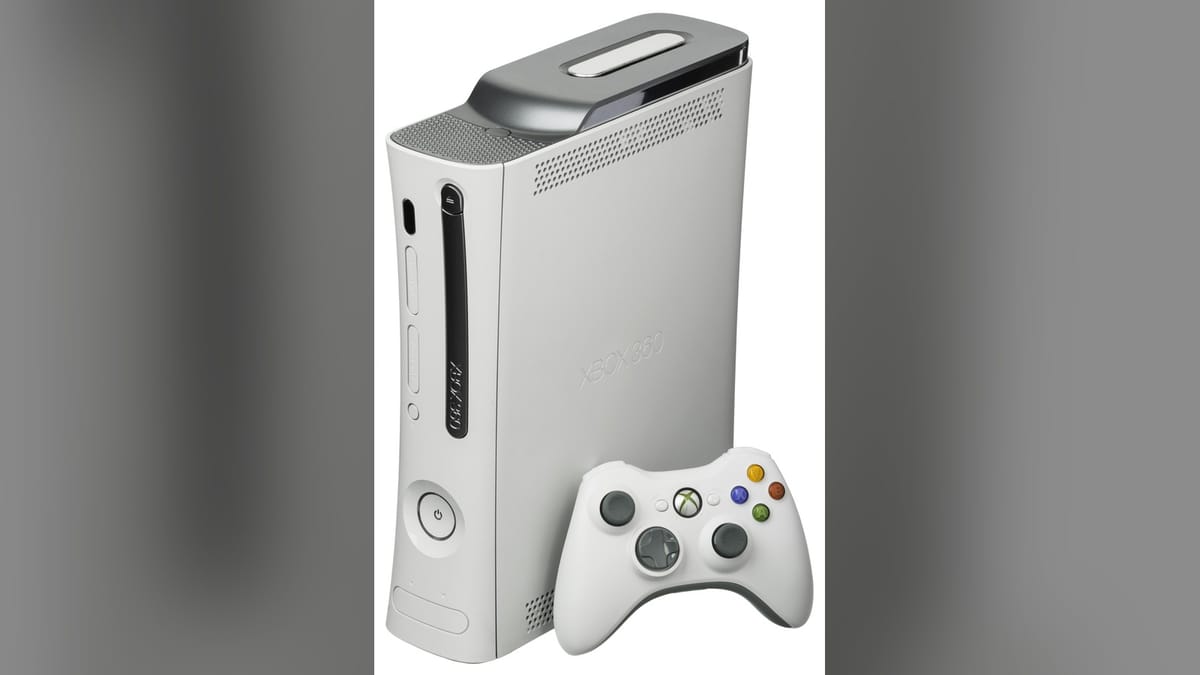
Developer Yaz Yazzy has released version 0.3.0 of the X 360 Alpha frontend for Android. The update is available now for Patreon supporters and focuses heavily on cleaning up library management and fixing controller navigation bugs from earlier builds.
Version 0.1.0 recently launched in late August 2026, bringing the Microsoft dashboard aesthetic to Android handhelds. X 360 isn't an emulator itself. It's a launcher that mimics the Xbox 360 interface, aggregating your ROMs and hooking into external emulators to play them. You can grab the latest build from the X 360 Patreon page.
Fixing the library clutter
The biggest change in v0.3.0 targets how the app handles your files. ROM scanning is much stricter now. The frontend won't pull in non-game files, like those annoying 00000000 folders, and display them as playable games, which should save you from scrolling past dozens of broken icons. Duplicate entries and incorrect game titles have also been addressed.
You can now remove a game from your X 360 library without deleting the actual ROM from your device. If the automatic scraper fails to find the right artwork, you can open the Game Details menu and apply a custom image. That custom art is saved to the specific game and can be reverted to the auto-detected version later.
Controller navigation actually works
Earlier alpha builds had a habit of trapping you inside specific dashboard sections. Controller navigation is fixed in this release, meaning you can finally move between the main tabs without getting stuck. The developer also patched several bugs that prevented games from properly launching through their assigned emulators.
The Android retro handheld scene has exploded in recent years. Devices like the Ayn Odin and Thor are more than capable of running sixth-generation console games, but they usually rely on utilitarian, grid-based launchers. Projects like X 360 recreate the aesthetic and soundscape of a specific era. The Xbox 360 UI was a massive part of that console's identity, and having it run natively on a mobile device is a great party trick.
The Xbox 360 console generation kicked off in November 2005. It popularized modern online multiplayer, the digital Xbox Live Arcade storefront, and system-wide achievements, fundamentally changing how we interacted with digital libraries. The user interface evolved dramatically over its lifespan. It moved from the original Blades design to the New Xbox Experience. X 360 aims to capture that specific mid-2000s energy. It even hooks directly into RetroAchievements to replicate the feeling of unlocking Gamerscore.
Real life gets in the way
Yazzy noted that development might slow down for a bit. He's currently moving and balancing the project with his personal life. The frontend is still very much in alpha, so bugs and device-specific quirks are expected. He's actively taking feature requests and bug reports on Discord, but responses will likely take longer than usual.
Building a custom frontend that accurately recreates a 2005 console dashboard is a massive undertaking. The original interface defined a whole generation of gaming. Replicating that layout on modern Android hardware takes time, and the developer is clear that this is a passion project built alongside a normal life.
Comments ()