
spruceOS 4.4.2 adds Nintendo DSi support and sideways play
The custom operating system for budget retro handhelds gets a vertical DS emulator mode and automated BaseOS updates for Anbernic devices.

The spruceUI development team released spruceOS version 4.4.2 today, bringing dedicated Nintendo DSi emulation and a sideways display mode to the custom handheld operating system. The update is available now through the project's GitHub release page, covering dozens of budget devices from Miyoo, TrimUI, and Anbernic.
If you buy a $50 retro handheld in 2026, the factory software is usually a mess. Community projects like spruceOS replace those stock interfaces with something faster and cleaner. The main draw here is SD card portability. You can pull your spruceOS card out of a Miyoo A30 and slot it directly into a TrimUI Smart Pro, and your games and saves just work.
Booting straight into the DSi firmware
The headline feature for version 4.4.2 is proper Nintendo DSi support. Games placed in the new NDSI folder now boot directly through the original DSi firmware. The Nintendo DSi launched in 2008 as a bridge between the original DS and the 3DS, adding internal cameras and digital downloads. Getting that exact firmware to boot cleanly on low-power ARM chips isn't easy, but it adds authenticity to the emulation.
This release also updates the DSperate emulator to version 2.1.0 and adds a new DSperate-Tate option. Tate mode lets you hold your horizontal handheld sideways to play dual-screen games vertically. It's the only tolerable way to play DS games on a 16:9 screen without squishing the displays into tiny boxes. The emulator now applies a timing overclock by default across all devices, which should help smooth out audio stuttering in heavier titles.
Fixing the Anbernic XX setup process
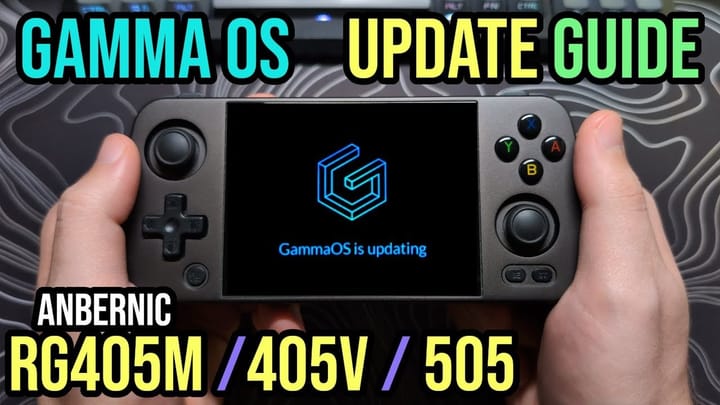
Anbernic's H700-powered handhelds (like the RG35XX SP and RG CubeXX) require a BaseOS image on their first SD card slot to boot properly. Managing that base firmware is tedious. The new Firmware Update app in spruceOS now handles BaseOS updates automatically. If your base firmware is out of date, the app downloads the correct file for your exact model, verifies it, and reboots into the installation process.
The developers also fixed a few persistent annoyances for Anbernic users. The brightness hotkeys actually work now, and dropping the brightness to zero won't turn the screen completely off. Best of all, RetroArch now ships with a pre-configured controller profile for the built-in gamepad, eliminating the yellow "not configured" text every time you launch a game.
Over-the-air updates finally stick
Wi-Fi handling got a major rewrite. The radio controls are now centralized, which stops the menu and background scripts from fighting over the connection. Wi-Fi now defaults to off on a fresh install to save battery. The shutdown process is also much faster, dropping from around 16 seconds down to seven on the TrimUI Smart Pro S.
The update also brings Java 2 Micro Edition (J2ME) support to 32-bit handhelds like the Miyoo Mini and Miyoo A30. Playing old flip-phone games on a modern emulator is a niche pursuit, but it fits perfectly on these smaller devices. A new SD card repair tool now works across every supported device, which is a lifesaver when an improper shutdown corrupts your file system.
Incremental over-the-air updates are finally working for all users, not just those in developer mode. Because of a bug in the previous updater, anyone currently on version 4.4.1 needs to run a full update package this time around. Future updates can patch the system incrementally. If you're starting fresh, the developers provide an all-in-one installer app for Windows, Mac, and Linux that formats your card and installs the correct files in one click.

Comments ()