
Laser Bear's new GameCube adapter makes SD cards accessible from the outside
The new ACE variant of the SD2SP2 adapter solves a major headache for Game Boy Player users by moving the SD slot to an accessible location.
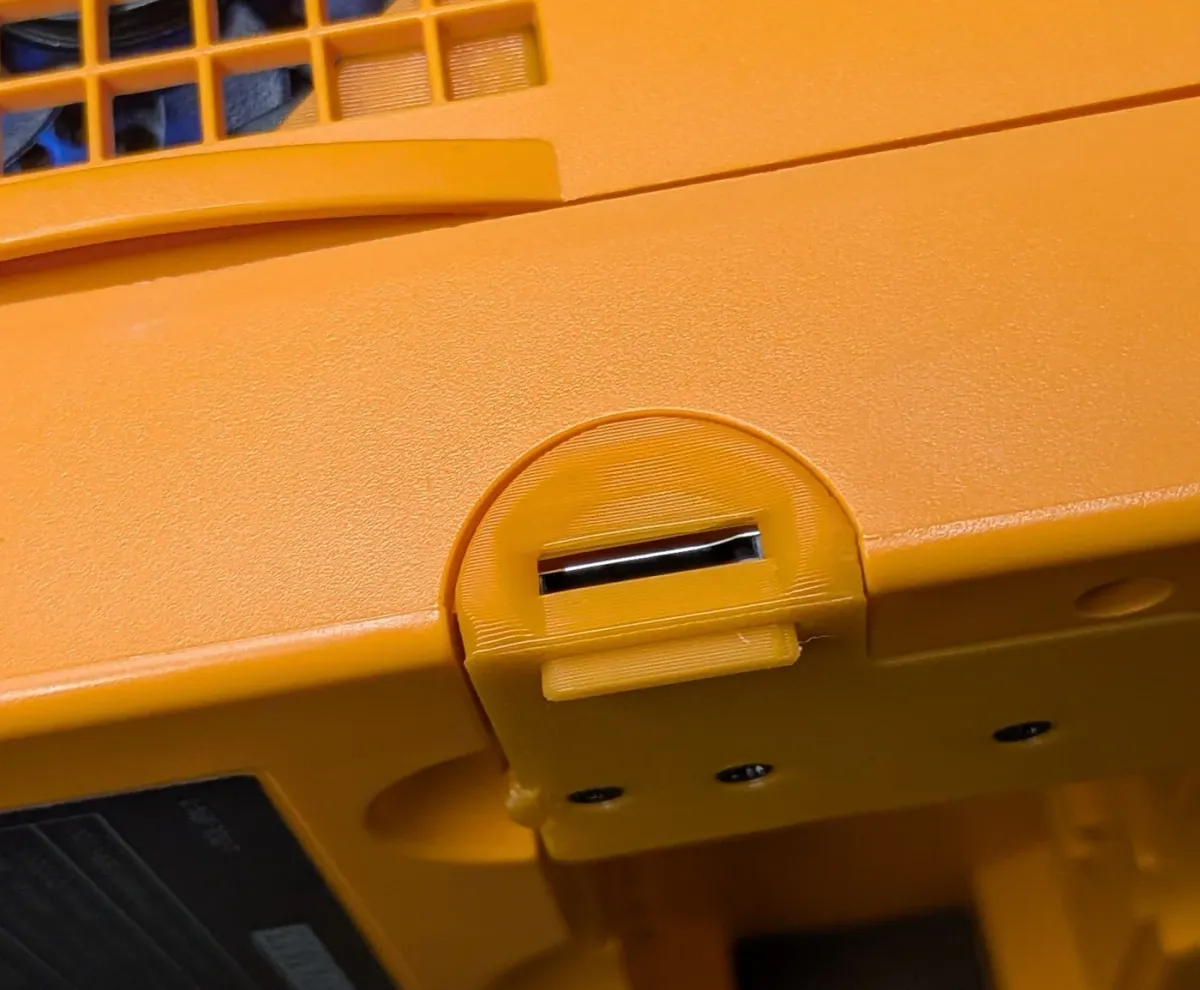
Laser Bear Industries has released the SD2SP2 V2.0, an updated storage adapter for the Nintendo GameCube that includes a new "ACE" variant designed to make SD card access significantly less frustrating. The adapter, which allows the console to read files from a microSD card via the often-ignored Serial Port 2, is available now for $15.
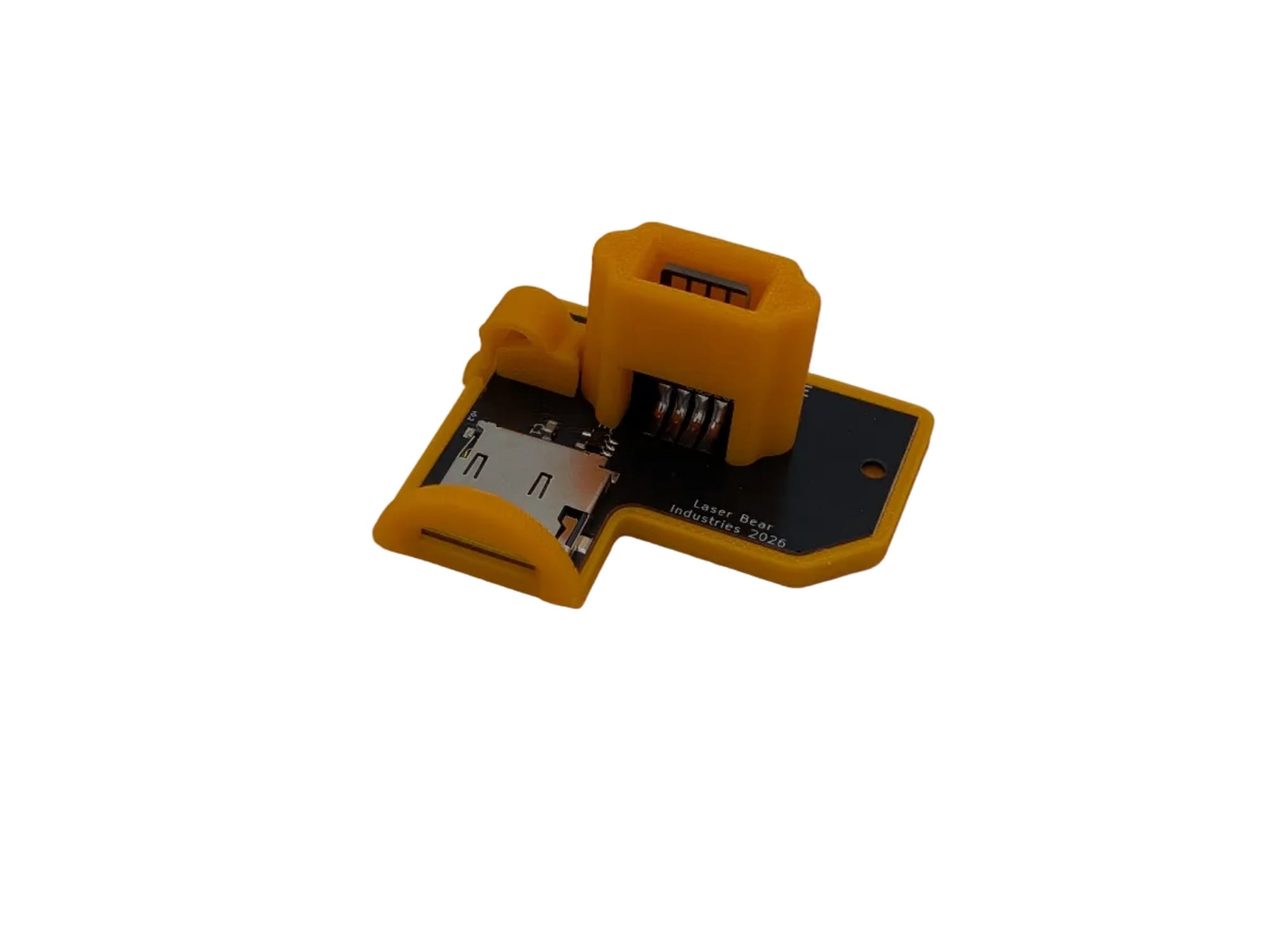
For the uninitiated, the SD2SP2 (SD to Serial Port 2) is a staple in the GameCube modding scene. It allows users to load homebrew software, game backups, and utilities like the Game Boy Interface without occupying the front memory card slots. However, previous iterations had a design flaw that was more annoying than fatal: once installed, the SD card was buried underneath the console.
Solving the Game Boy Player headache
The standard SD2SP2 boards plug directly into the port on the bottom of the GameCube. This works fine until you attach a Game Boy Player, the add-on that lets you play Game Boy Advance cartridges on a TV. Once the Player is screwed on, the Serial Port 2 is completely covered. If you wanted to add a new game ISO or update your Swiss software, you had to physically unscrew and remove the Game Boy Player hardware every single time.
The new ACE variant addresses this specific grievance. According to Laser Bear Industries, the ACE features a "ground-up redesign" that orients the microSD slot to be accessible from the side of the console, even with a Game Boy Player attached. The design also reportedly fits tighter than generic PCB boards, preventing the adapter from falling into the shell. A rite of passage for anyone who bought a cheap clone adapter on eBay.
The V2.0 hardware changes
While the ACE form factor is the headline, the underlying hardware has seen a revision across all models. The V2.0 boards now include an OR logic IC (integrated circuit). In simple terms, this logic gate helps manage signal integrity between the console and the SD card, potentially offering better stability for data transfer compared to the simple passive wiring found on earlier or cheaper boards.
Laser Bear is offering three versions of the V2.0 hardware. There is the Standard version, which fits inside the original port cover for a stealth look. Then there is the Pro, based on designs by community members silverstee1 and jeffqchen, which includes a 3D-printed cover. Finally, the ACE is the externally accessible option. It comes in colors matching the original hardware run: Black, Indigo (Purple), Spice Orange, and Platinum (Silver).
A port with no purpose
The existence of the SD2SP2 is a victory for hardware preservationists because it utilizes a port that Nintendo abandoned. When the GameCube launched in 2001, it featured two expansion ports on the bottom. Serial Port 1 was eventually used for the Broadband and Modem adapters, necessary for the handful of online games like Phantasy Star Online.
Serial Port 2, however, never saw an official peripheral released in the console's lifespan. It sat there, gathering dust, until Nintendo eventually removed it entirely from the later DOL-101 model revisions to cut costs. For years, it was a vestigial organ of the hardware. It wasn't until the homebrew community reverse-engineered the bus that the port found its first real purpose: loading data from modern storage.
It is important to clarify that the SD2SP2 is not a mod chip. It does not break the copy protection on the disc drive or allow the system to boot non-retail code on its own. To use this adapter, you still need a way to boot into the Swiss homebrew environment, such as the PicoBoot mod, a save game exploit, or an Action Replay disc. The adapter requires Swiss v0.6r1667 or later to function properly.
Comments ()