
CHD Manager 1.4 adds direct ISO extraction and disc recompression
The open-source Windows frontend for MAME's chdman handles CD and DVD detection, multi-track BIN files, and formats including .cdi and .pbp.
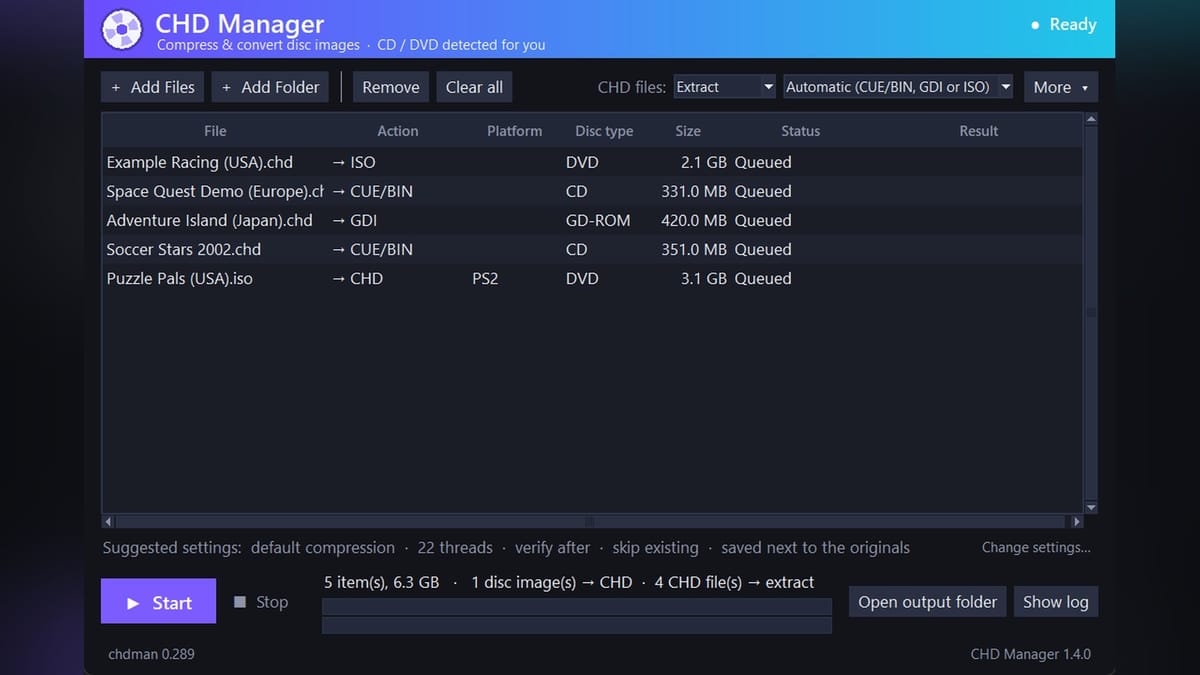
Developer Mr-Shizzy has released version 1.4.0 of CHD Manager, a portable, open-source Windows frontend for MAME's command-line disc compression utility, adding direct CHD-to-ISO extraction and lossless archive recompression. First released earlier in 2026 under the 0BSD license, the Python and Tkinter program wraps chdman 0.289 into a drag-and-drop batch queue so users don't have to maintain custom batch scripts.
Originally developed by the MAME team (founded by Nicola Salmoria in 1997) to shrink arcade hard drive and optical dumps, the Compressed Hunks of Data (CHD) format has become the standard storage container across fifth- and sixth-generation console emulators. DuckStation, PCSX2, and RetroArch's Flycast core all boot CHD files directly without decompressing them first. It cuts uncompressed disc sizes by up to 60 percent while keeping subchannel data and Red Book audio intact, turning a folder of 32 loose Dreamcast or PlayStation track files into a single archive.
Why batch scripts keep getting PlayStation 2 discs wrong
The catch with MAME's raw chdman.exe has always been that it expects you to tell it whether an image is a CD or a DVD. Most community batch scripts floating around forums just hardcode the createcd flag for everything, which means 4 GB PlayStation 2 DVDs regularly get packed as CD-type images.
CHD Manager sorts that out automatically by inspecting the file extension and byte size, treating any ISO up to 737,280,000 bytes (an 80-minute CD) as a CD and routing larger ISOs or PSP images to createdvd. It also peeks inside the image headers to tag the queue with the right console, covering PlayStation, PS2, PSP, Sega Saturn, Sega CD, and Dreamcast. It checks sector sizes instead of making the user sort blue-bottomed PS2 CDs from silver DVDs by hand, even if the size difference between CD-type and DVD-type CHDs only works out to about 0.6 to 2 percent in PCSX2.
According to the developer's release notes, CHD Manager handles formats including .chd, .bin/.cue, .gdi, .iso, .toc, .cdi, and .pbp. When scanning folders recursively, it automatically skips loose .bin files that already belong to a .cue sheet so nothing gets queued twice.
What changed in version 1.4
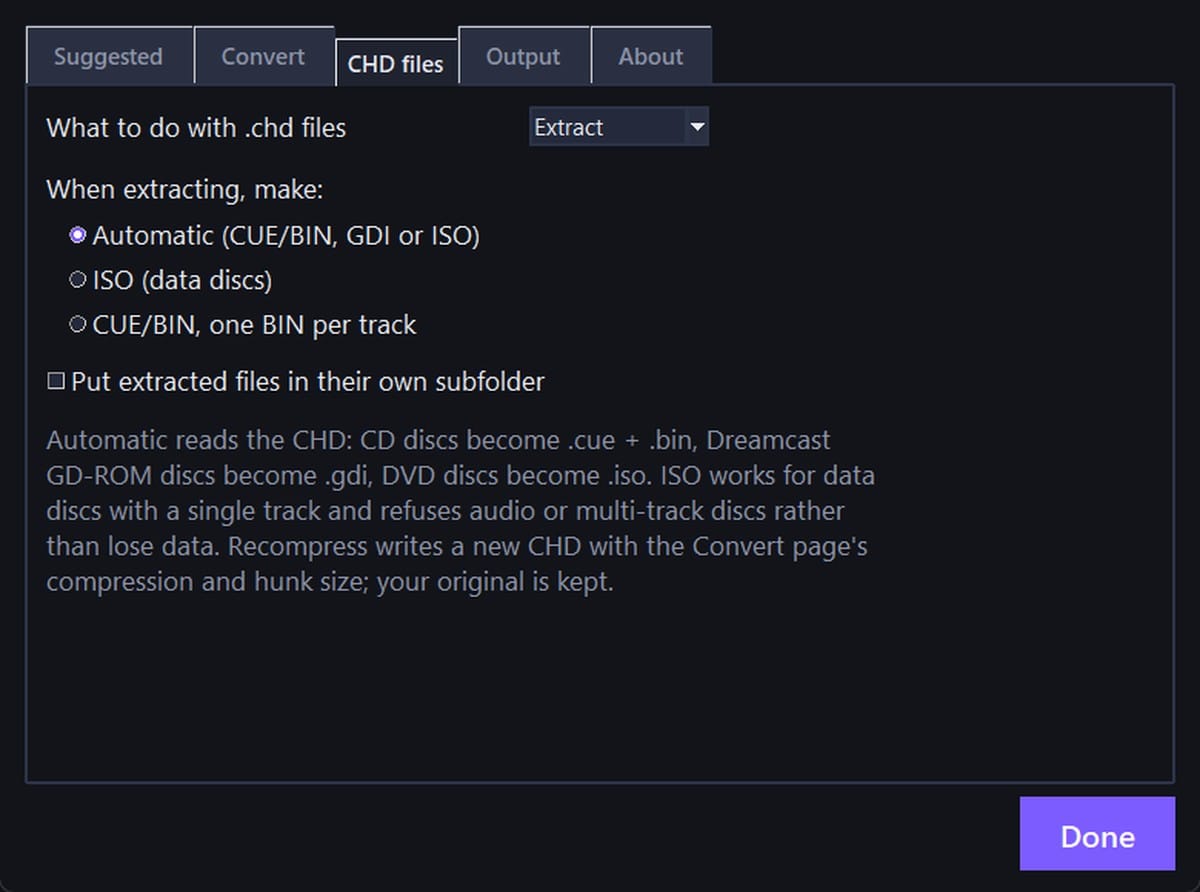
The 1.4 update expands what you can do once your library is already compressed. Users can now recompress existing CD, GD-ROM, and DVD CHDs with different codec presets or hunk sizes without overwriting the original file, and they can extract single-track data CHDs straight back to standard 2048-byte-per-sector ISOs.
That ISO extraction includes a safety check so you won't accidentally mangle a game that relies on separate audio tracks. If you try to force an ISO out of a multi-track CD, a Dreamcast GD-ROM, or a PlayStation disc with Mode 2 Form 2 audio/video sectors, the tool refuses the job and explains why in the action column. Standard automatic extraction still outputs GDI sets for Dreamcast and CUE/BIN pairs for CDs, reading the track count first so multi-track games get split BIN files in a tidy subfolder while single-track discs stay in one file.
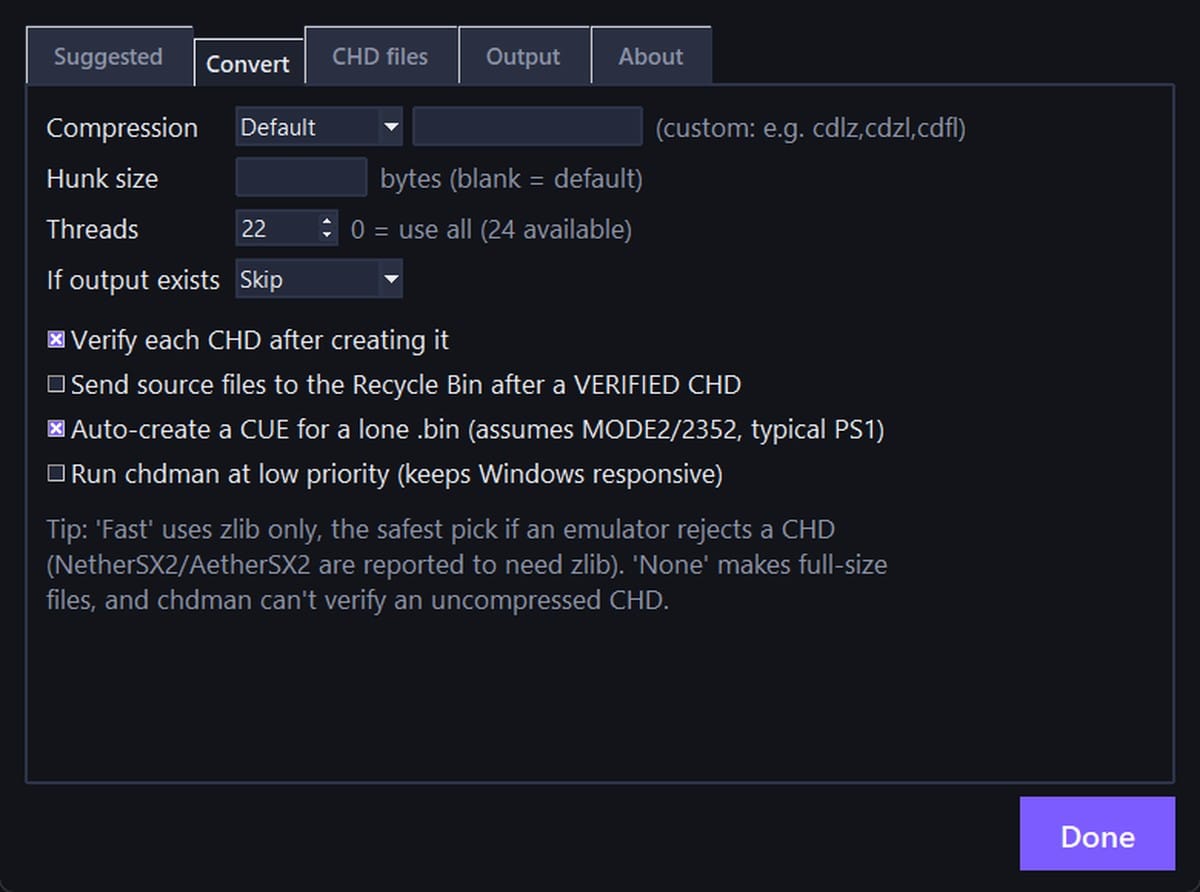
Mr-Shizzy tested the 1.4 build across 42 physical disc dumps (17 PS2, 16 PS1, 6 Dreamcast GD-ROMs, and 3 Dreamcast CDs, compressing 24 GB of raw files down to 7.3 GB) and verified that the rebuilt files matched the original SHA-1 data checksums and booted in PCSX2, DuckStation, and Flycast. The app can optionally verify each new CHD before sending source files to the Windows Recycle Bin, and it includes one-click updater buttons that check SHA-256 hashes against official MAME and CHD Manager releases on GitHub. What I'd like to see next is a native Linux build, since running a Windows executable through Wine on a Steam Deck adds an extra step for handheld libraries.

Comments ()