
CoGS 1.42 adds a local writable catalog and Favorites for Apple II
Rob Perissi's CoGS firmware 1.42 and Image Manager 1.9 let Apple II owners download the full 2,444-title catalog locally with full read/write support.
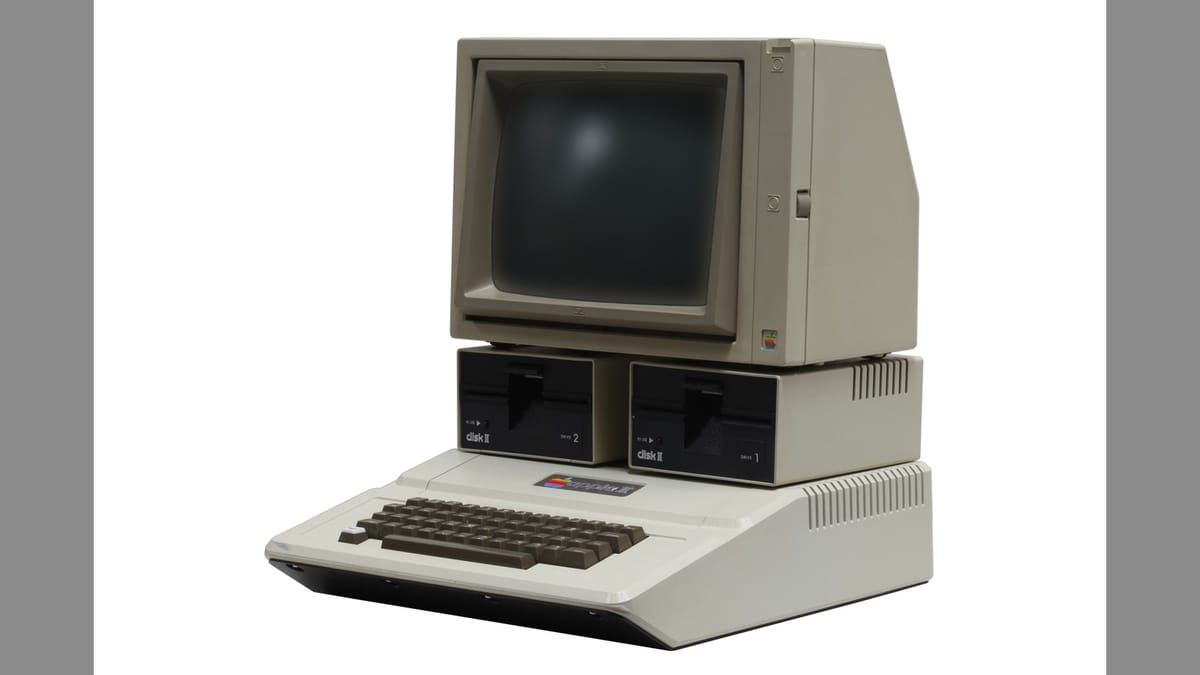
Developer Rob Perissi has released CoGS firmware 1.42 alongside CoGS Image Manager 1.9 for Mac and ACIM 0.3 for other platforms, adding a downloadable read/write software catalog and an on-card Favorites menu for Apple II computers.
Built on the open-source A2Pico bus interface designed by Oliver Schmidt and Ralle Palaveev, CoGS is a modern network coprocessor expansion card for the Apple II, II Plus, IIe, and 16-bit Apple IIGS. Rather than acting as a host processor that hijacks the machine, the card leaves CPU and display duties to the vintage Apple hardware while offloading modern TLS encryption, Wi-Fi, Ethernet, and network disk streaming. Until yesterday's update, users had two main options for loading software without swapping physical floppies or SD cards: streaming directly from the online CoGS library as read-only disks, or serving a personal folder of files over a local network.
1.9 gigabytes of Apple II software on your LAN
The companion apps on the CoGS download page bridge those two approaches by letting you host the entire online library at home. CoGS Image Manager is a native macOS utility (requiring macOS 12 Monterey or newer) that shares ProDOS-order .po, .hdv, and .2mg disk images up to 32 MB, plus audio and pictures, straight to an Apple II over a home network. Older Macs back to OS X Tiger, Windows PCs, Linux machines, and Raspberry Pi boards use ACIM instead, a Python-based text edition that speaks the exact same network protocol. (Writing companion server software that still runs on a PowerPC Mac in the closet is a level of retrocomputing commitment that deserves a quiet nod.)
Version 1.9 of the Mac app and ACIM 0.3 add a new "CoGS Catalog Local R/W" mode. Clicking one button pulls down all 2,444 titles across 630 disk images, totaling roughly 1.9 GB, to a local folder and serves them to the expansion card with full write permissions. Streaming a game over the internet is convenient, right up until you lose a hard-earned high score on reboot or realize you can't tweak your GS/OS desktop layout.
With the local catalog mounted, saves and system modifications stick around permanently. Any disk image modified by the Apple II gets flagged as "Yours (Local)" so automatic syncs won't overwrite your changes. The app syncs on launch, once a day while running, or on demand so newly added titles appear automatically. If the upstream version of a modified disk ever gets updated on the server, the manager flags it as "Newer on a2cogs" and lets you decide whether to keep your copy or reset it, and any personal disk images dropped into that folder stay untouched as "Added (Local)" files. Version 1.9 on Mac also picks up ACIM's live log pane, showing real-time read and write activity from the card, though neither app supports DOS 3.3 .dsk or flux-level .woz files.
Bookmarking disks in flash memory
Firmware 1.42 also adds a Favorites list stored directly in the card's flash memory, though a factory reset clears the list. Browsing through 2,444 titles on an 8-bit text screen takes patience, so being able to pin up to 18 frequently booted disks right beneath the Featured and Recent rows should save plenty of scrolling. I'm curious whether 18 slots will feel tight once someone mixes a multi-disk RPG with a few GS/OS productivity volumes, though keeping the list compact makes sense when it's designed to fit cleanly on an old CRT.
Recent and Favorites entries clearly label whether a disk comes from the read-only cloud stream, a personal network share, or the new local writable catalog, preventing accidental boots into the wrong copy.


Comments ()