
Analogue 3D's 1.5.1 update adds in-game overclocking
Analogue's latest 3D firmware update lets you adjust overclocking without leaving the game and adds custom metadata for unrecognized N64 cartridges.
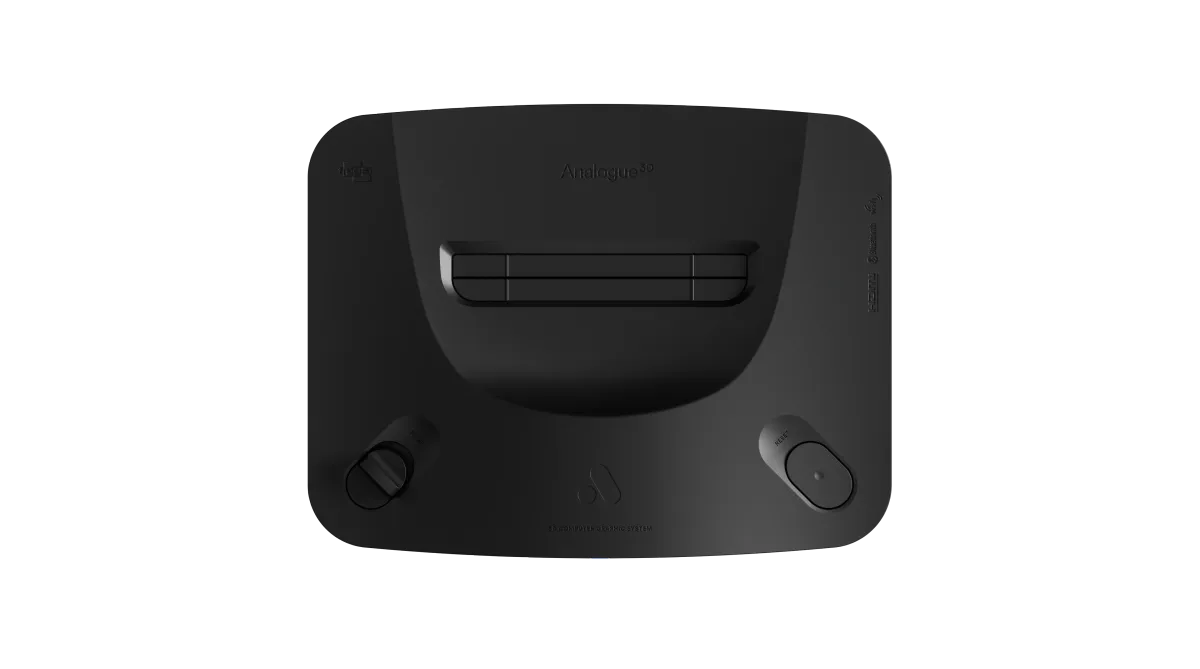
Analogue released firmware version 1.5.1 for the Analogue 3D today. The update moves overclocking controls into the in-game menu and adds metadata editing for unrecognized Nintendo 64 cartridges. The patch is available directly from Analogue's support page.
The Analogue 3D launched in November 2025 as a hardware-level recreation of the Nintendo 64. Instead of relying on software emulation, which has historically struggled with the console's complex Reality Coprocessor, Analogue uses an Intel Cyclone 10 GX FPGA chip to mimic the original silicon. It outputs a native 4K signal and supports original cartridges. The 1.5.1 update builds on the major 1.5.0 release from July, focusing heavily on quality-of-life adjustments for people with extensive physical libraries.
Fixing the alphabet for a 1997 golf game
The most noticeable change for collectors is how the 3DOS handles unrecognized media. If you insert a homebrew game, a ROM hack, or a cartridge the system simply doesn't identify, you can now manually edit its metadata. The operating system allows custom inputs for the game title, developer, and publisher. This integrates unknown cartridges cleanly into the standard library interface.
Analogue also pushed optimized default settings across the entire recognized N64 library. Games now boot with tailored configurations for Auto Overclock, Horizontal Upscaling, and Progressive Output. If you've been tweaking settings manually and want to revert, the update adds a maintenance menu option to reset all hardware and display configurations back to their new defaults.
The patch notes highlight a highly specific fix for Masters '98: Harukanaru Augusta. The Japan-exclusive golf simulation was previously breaking the library's alphabetical index. It now sorts correctly. The system also differentiates between the North American Voice Recognition Unit (VRU) and the Japanese Voice Recognition System (VRS). If you're still shouting at the television in Hey You, Pikachu!, the hardware now properly logs which microphone peripheral is plugged in.
Toggling the overclock mid-game
The Nintendo 64 is famous for ambitious 3D games that run at single-digit framerates. Overclocking helps smooth out games like Perfect Dark or GoldenEye 007, but it previously required backing out of the game to adjust. Version 1.5.1 moves the Overclocking and Force Original Hardware toggles directly into the in-game menu.
You can now test performance changes on the fly. Analogue notes that overclock adjustments might take a few seconds to apply when triggered mid-game. The update also introduces a dedicated 'Off' option for the overclock setting, giving players a strict baseline to use alongside other hardware modifications.
Creating save states (which Analogue calls Memories) takes fewer steps. Along with the existing hotkey combination, players can navigate to the Memories list in the in-game menu and press the A button to generate a new save.
Core performance and housekeeping
On the processing side, the new firmware improves CPU instruction cache behavior. It also optimizes the performance of both Horizontal Upscaling and Progressive Output. A previous bug that caused video cropping in certain games has been fixed, and changing Original Display Mode settings in the Gallery no longer accidentally applies those visual filters to active gameplay.
After the system finishes updating, it automatically moves the 3DOS update files into an archived folder on the SD card. That keeps the root directory clean.
Analogue warns that the final stage of the 1.5.1 installation may take longer than usual, and the console might reboot itself during the process. They recommend resetting your library hardware configurations after the update finishes to ensure the new optimized defaults apply properly.

Comments ()